The latest features, improvements, and fixes. We ship updates every week to make Atom better for you.
Brand New Atom Homepage New
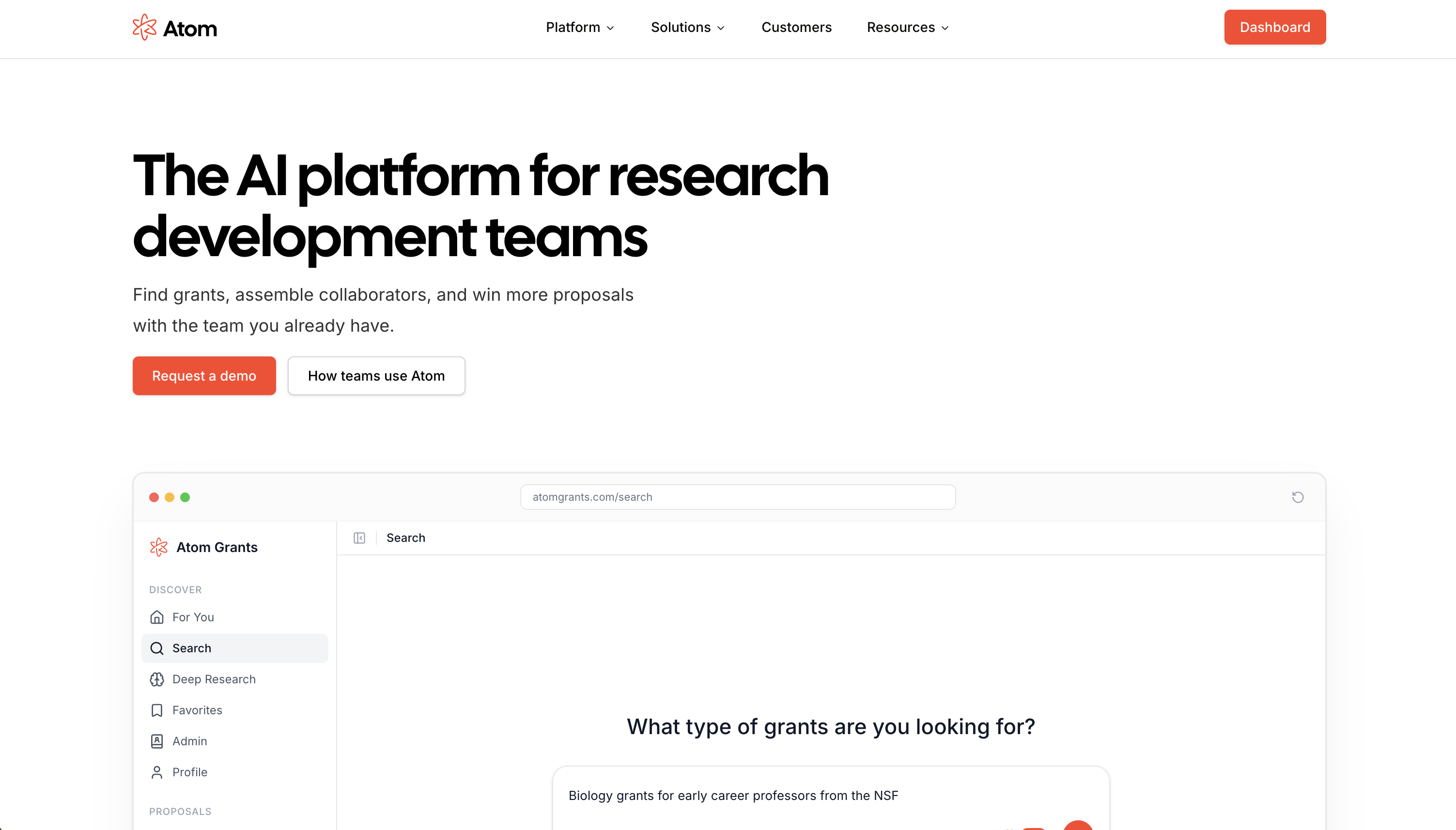
Experience Atom with a bold new visual identity! The home marketing page has been completely redesigned to better showcase what Atom can do for researchers and organizations. The new layout makes it easier to understand Atom’s benefits, explore features, and get started with grant discovery.
Modern, inviting visuals: Vibrant colors, updated illustrations, and clear calls to action make it easier to see how Atom supports your research journey.
Streamlined navigation: Quickly find information about features, pricing, and support with a simplified top menu and improved page structure.
Showcase of capabilities: Interactive sections highlight Atom’s grant search, project tracking, AI assistant, and more, helping new users understand the platform at a glance.
Visit the home page to see the new design and share it with your colleagues!
Stay on top of your project activity more efficiently with a major overhaul of notifications and email digests. Notifications are now grouped by project, easier to manage, and delivered in smart hourly or daily digests, with new options to fine-tune what you receive and how it's delivered.
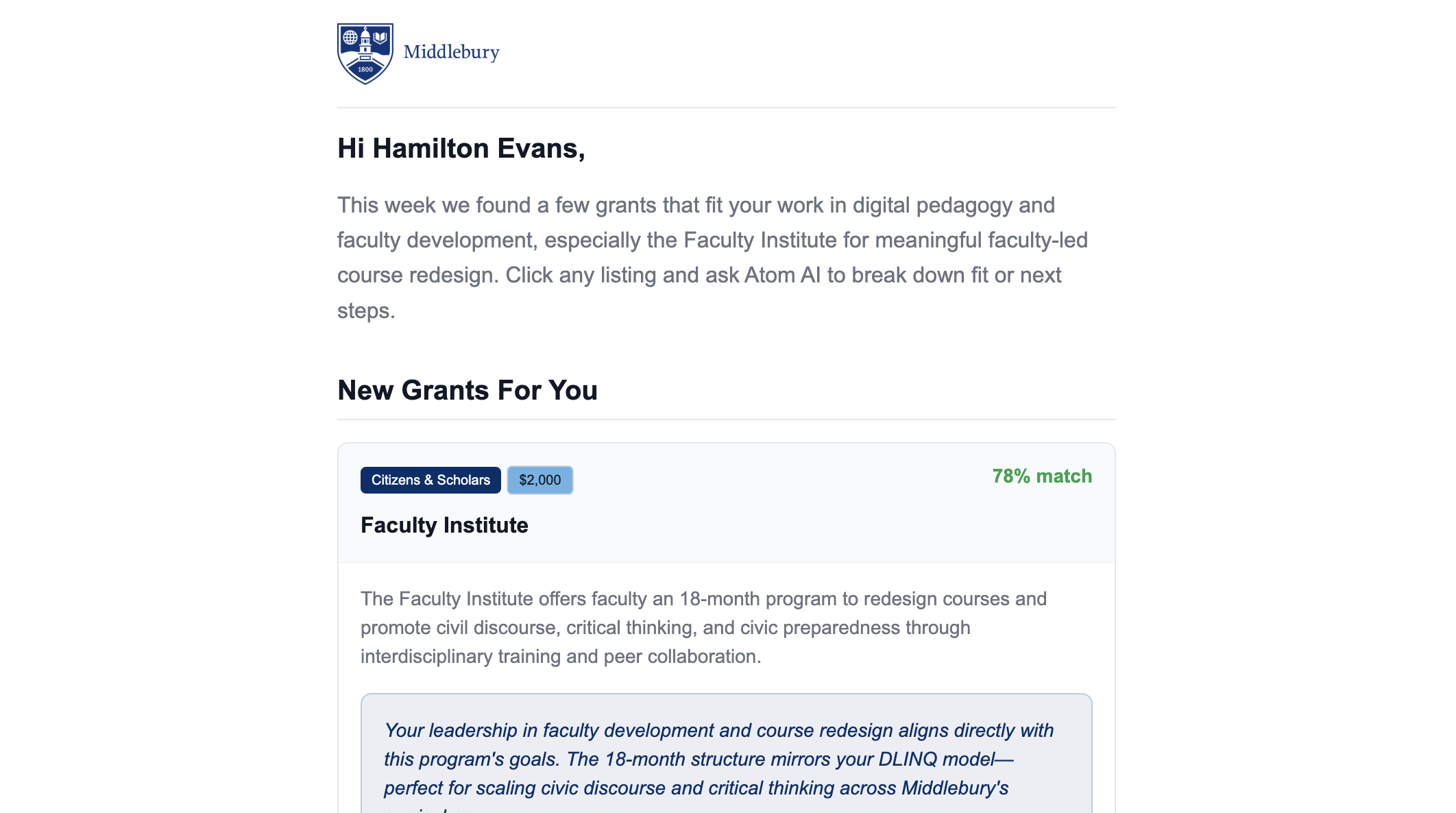
Hourly/daily email digests: All your project activity is now bundled into a single, well-organized email, grouped by project, with clear icons and summaries. Choose immediate, hourly, or daily delivery in your settings.
Per-project notification preferences: Control which types of notifications you receive for each project, right from the project Settings page. Set global defaults or override them per project.
New notifications page: Review all your recent notifications (last 30 days) on a dedicated page, grouped by project, with easy pagination and clear read/unread indicators. Access it from the bell icon or from digest emails.
Smarter notification management: The bell dropdown now marks all notifications as viewed when opened, and digest emails show a "View more notifications" link if there are more than 10 items.
Cleaner, actionable emails: Redesigned email templates feature color-tinted icons, bolded actors, and context-aware CTAs to quickly jump into projects.
Find your notification settings in your profile and project settings, and visit the new notifications page via the bell icon or digest emails.
Inline DOCX, Image, and Text File PreviewsUpdateProjects
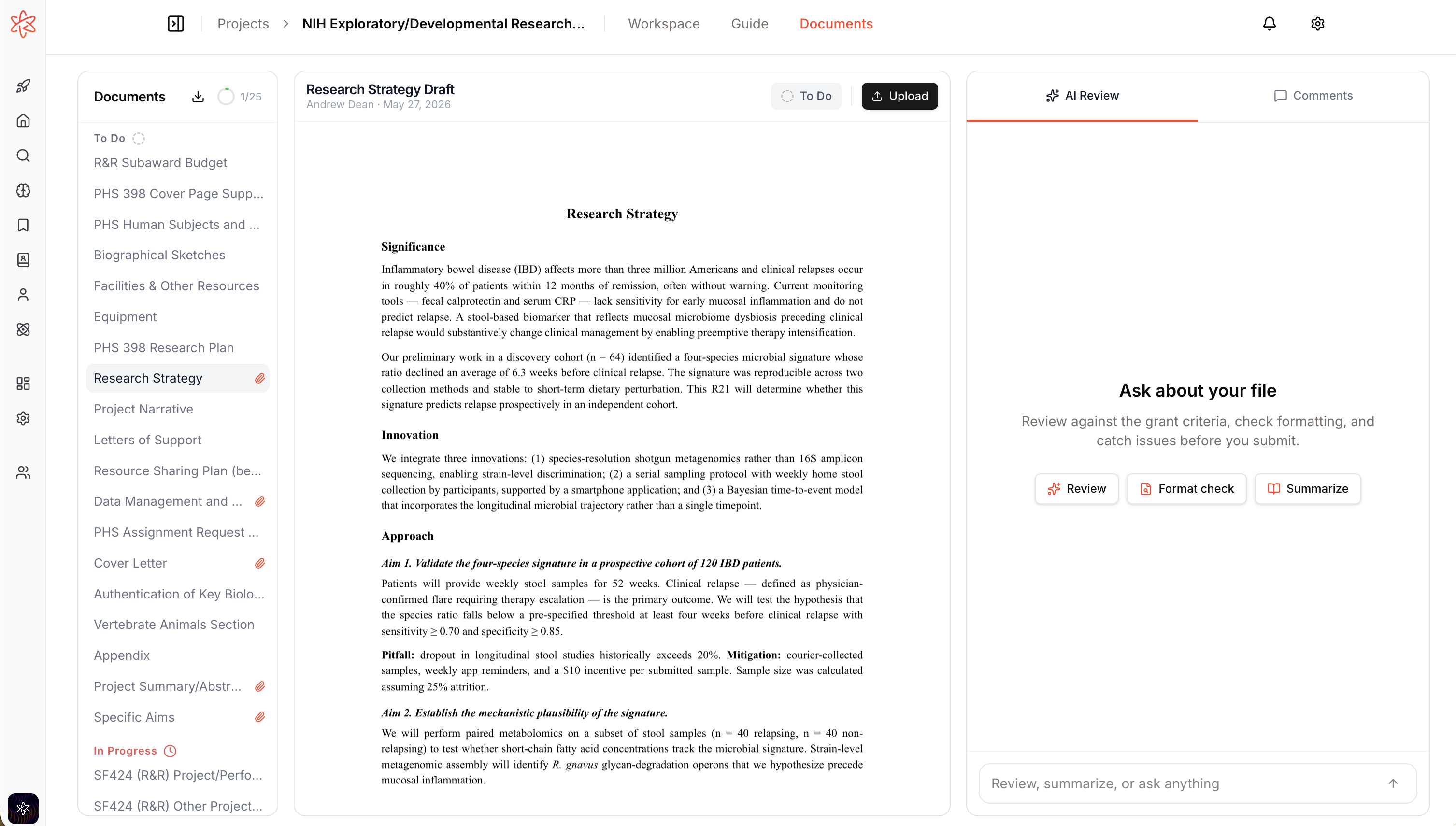
Viewing and reviewing project documents is now much more seamless. You can now preview DOCX files, images, and text files directly in the project document viewer—no need to download or use external tools. This makes it easier to scan, comment, and collaborate on all your project files in one place.
DOCX previews: View .docx files with formatting (headings, lists, tables, images) rendered inline, entirely client-side for privacy
Image and text support: Instantly preview images (PNG, JPG, GIF, SVG, etc.) and text-based files (TXT, MD, CSV, LaTeX)
Consistent experience: PDF previews remain unchanged; unsupported file types still show a fallback with download option
No external services: All previews are rendered in your browser, keeping your files secure
File Attachment Indicators in Project Documents UpdateProjects
Major Project Management Improvements UpdateProjects
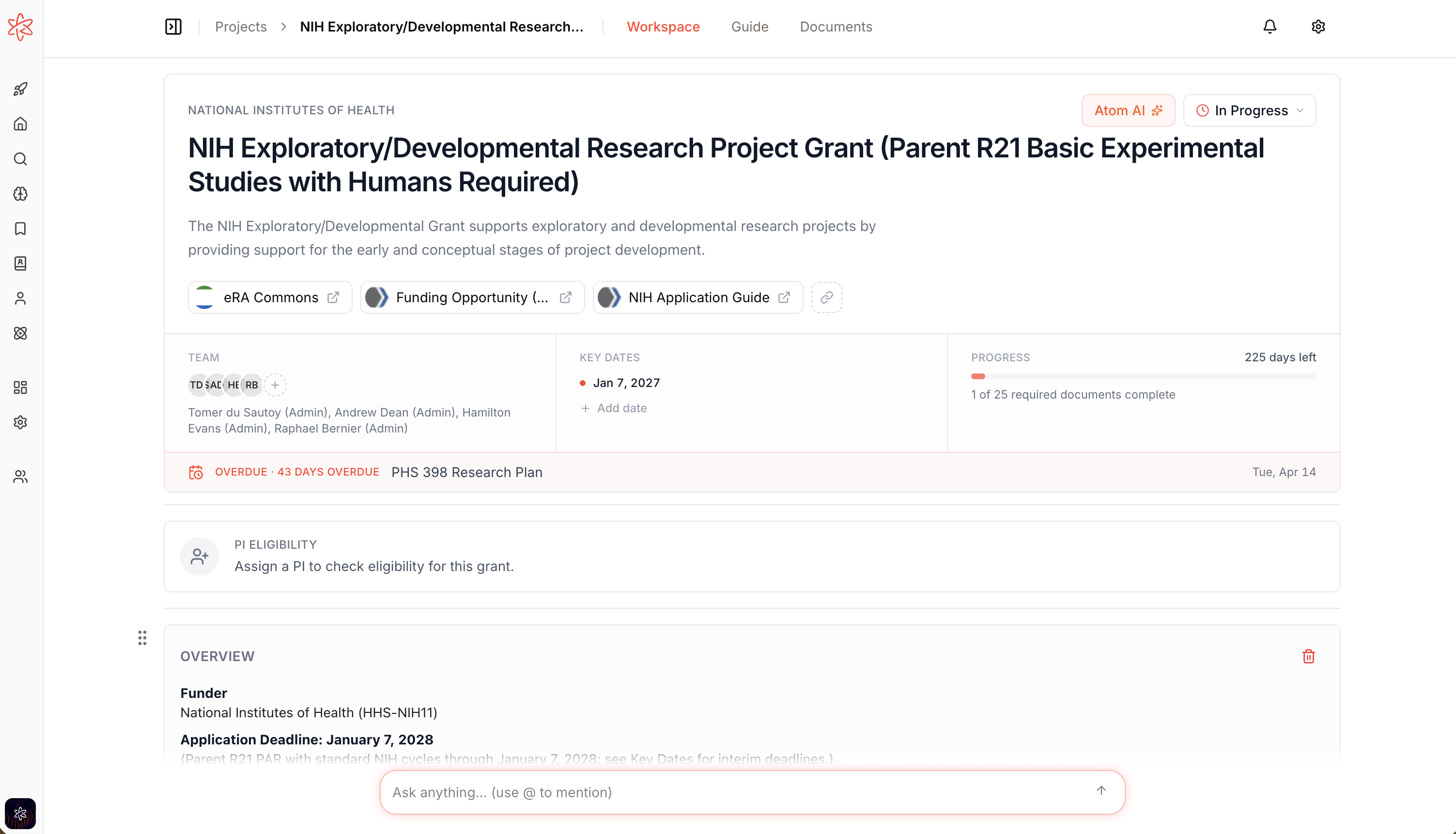
The Projects feature has received a comprehensive overhaul, making it easier and more intuitive to manage your research projects, documents, and team collaboration. These updates streamline project setup, document workflows, and team management for both researchers and admins.
Inline-editable guide and document section headings: Rename any section directly on the guide page, including Required Documents, with instant save and undo. Required Documents is now a real, reorderable section, and its heading is reflected in PDFs and shared guides.
Revamped project header and settings: The project page now features a modern card-style header with breadcrumb navigation, inline project status selector, and a 3-column hero strip for team, key dates, and progress. Admins can manage members via a new popover, and settings are now accessed via a dedicated page.
Unified markdown editing: Project titles, descriptions, and guide sections now use a Notion-style click-to-edit markdown editor, with autosave on blur and a new slash-command menu for headings, lists, and links. Profile editing matches this streamlined experience.
Mobile and accessibility improvements: Project headers and document controls are fully responsive, with no more overlapping elements or hidden actions on mobile.
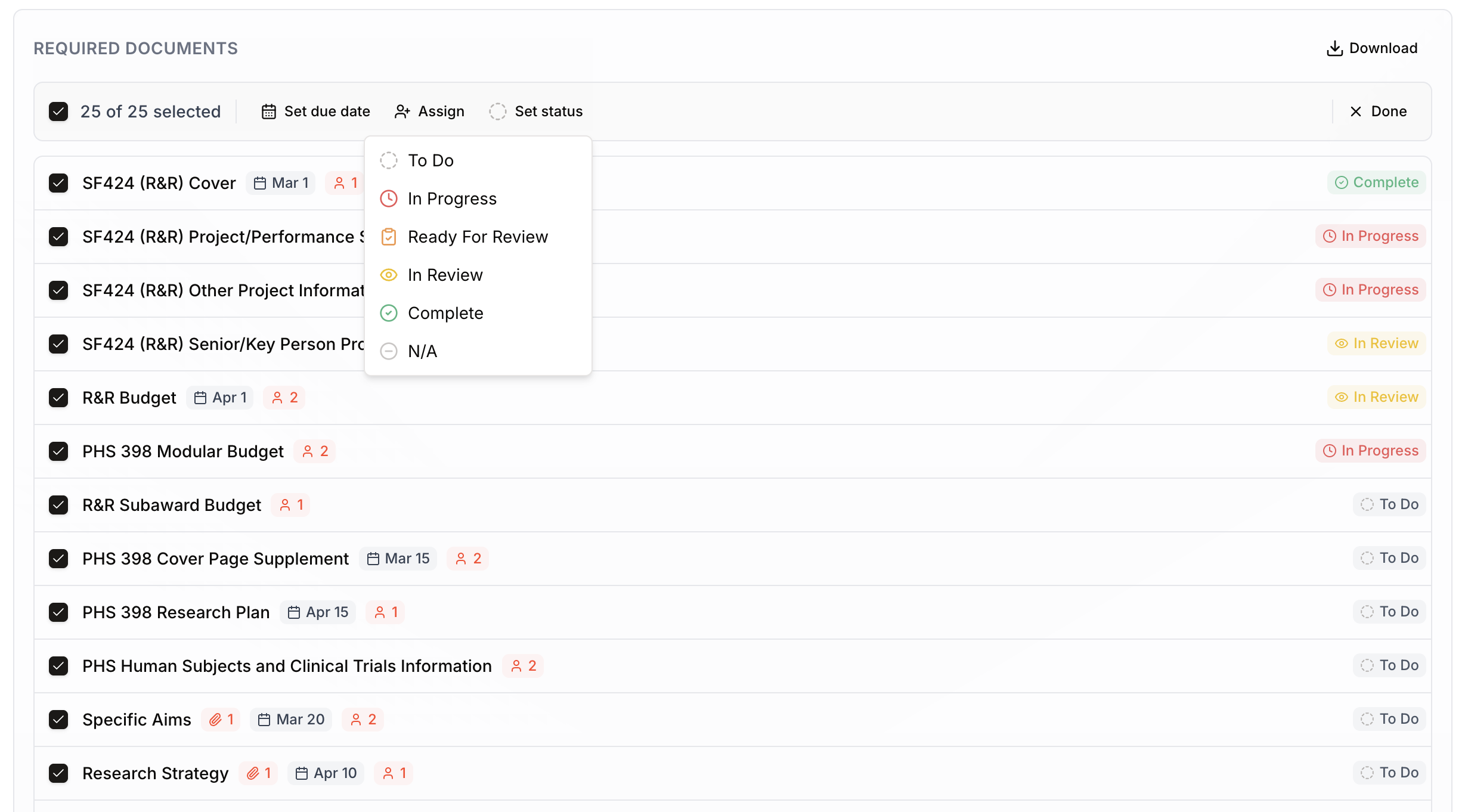
: New statuses like "Ready For Review" and "N/A" clarify progress, and AI reviews now auto-advance tasks from "To Do" to "In Progress."
AI Proposal Review for Project Documents NewProjects
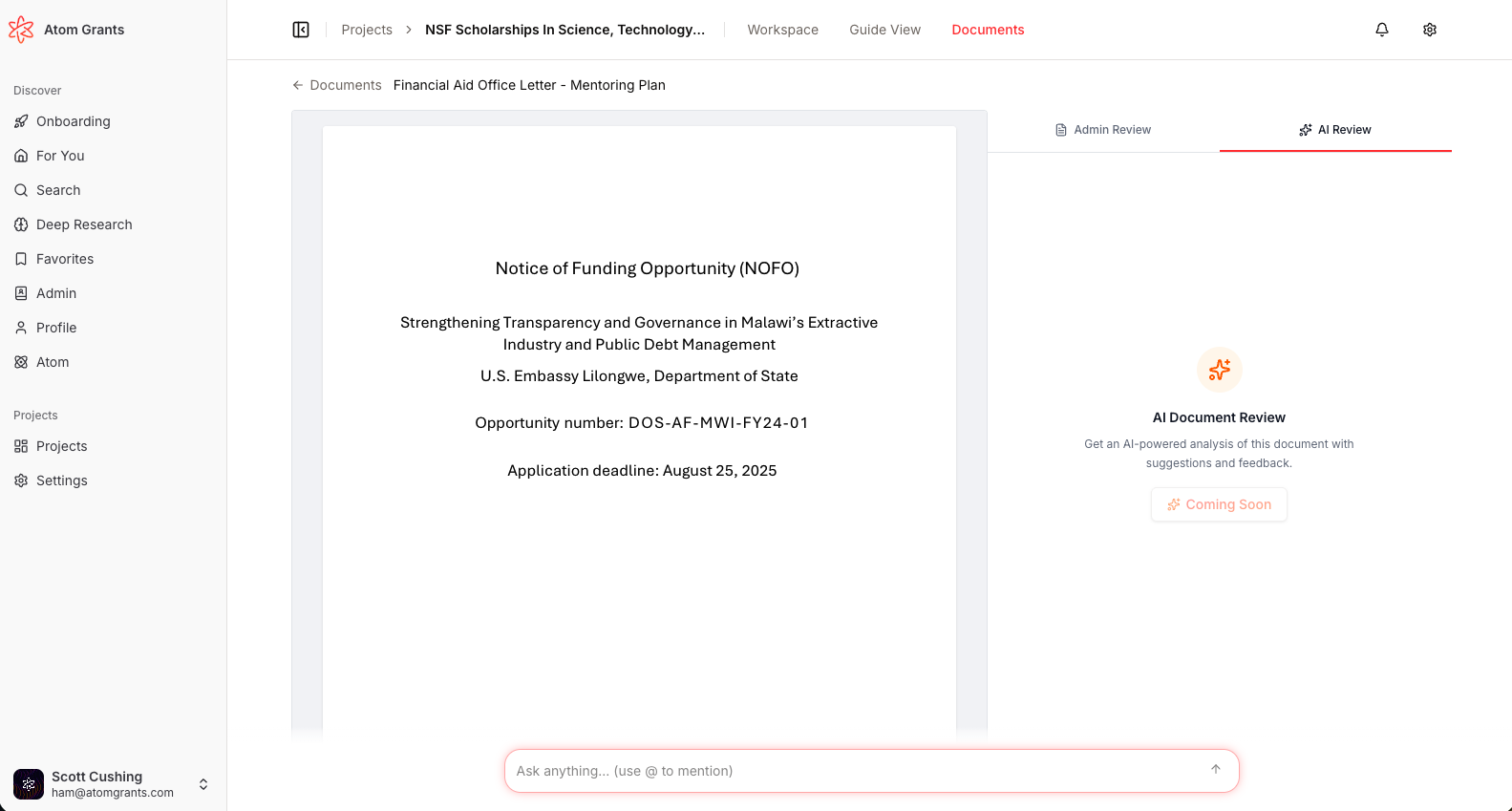
The new AI-powered proposal review flow is now live for project documents, providing researchers and teams with actionable, funder-specific feedback on their uploaded grant proposals. This feature transforms the "AI Review" tab from a placeholder into a dynamic, interactive workspace that delivers real-time, criterion-by-criterion analysis.
Streaming AI Review: Upload a PDF or DOCX proposal and receive a live, streaming review broken down by funder (NIH, NSF, ED, or Other), with per-criterion scores and deep-linked excerpts.
Normalized Review Data: Reviews are now stored in a structured format, allowing for per-item check-offs, severity tiers, and format compliance checks.
Rich UI Experience: The Documents panel features skeleton loading, streaming progress, score badges, and excerpt navigation for a seamless review experience.
Format Compliance: Automated checks ensure your proposal meets funder formatting requirements, with detailed feedback on structure and content.
This update makes it easier than ever to understand and address reviewer criteria before submission.
Bulk Edit and Subtask Support in Project Documents
Limited Submissions Digest Email AdminNew
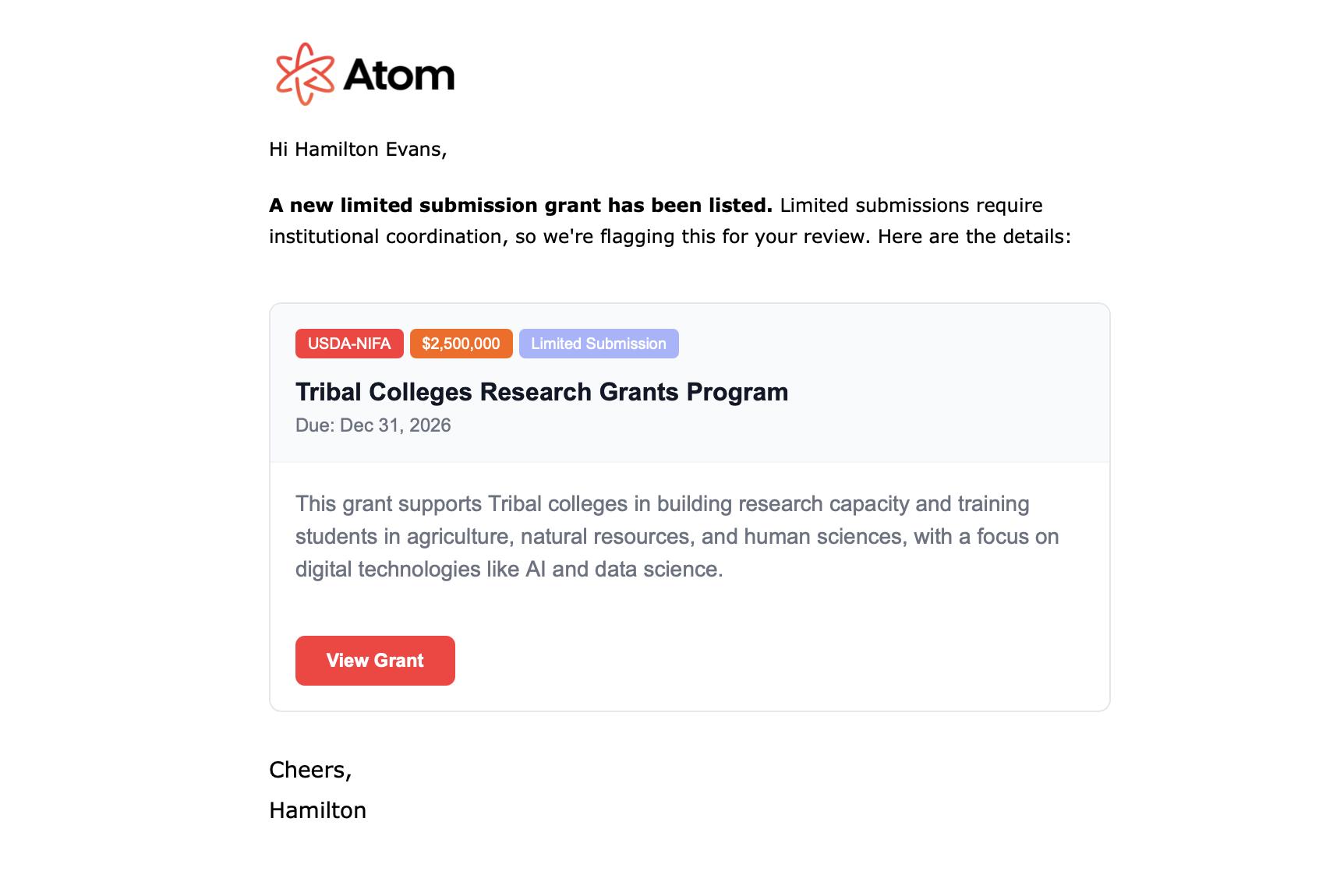
Group admins and owners can now opt in to a daily email digest highlighting new limited submission grant opportunities. This ensures your team never misses a critical, time-sensitive funding opportunity.
Automated daily delivery: Receive a curated list of new limited submission grants each morning
Opt-in control: Admin/owner users can enable or disable this digest in their profile settings
Clear, actionable format: Email includes grant title, sponsor, deadline, and amount in a visually organized card format
No duplicates: Each opportunity appears only once, so your inbox stays clean
Enable the limited submissions digest from your profile settings if you're a group admin or owner.
Download Required Documents as PDF ProjectsNew
Admins and project members can now easily generate a branded PDF containing just the "Required Documents" for any project. This makes it much simpler to share and review exactly what's needed for an application, without extraneous sections.
Proposals Documents Page Overhaul UpdateProjects
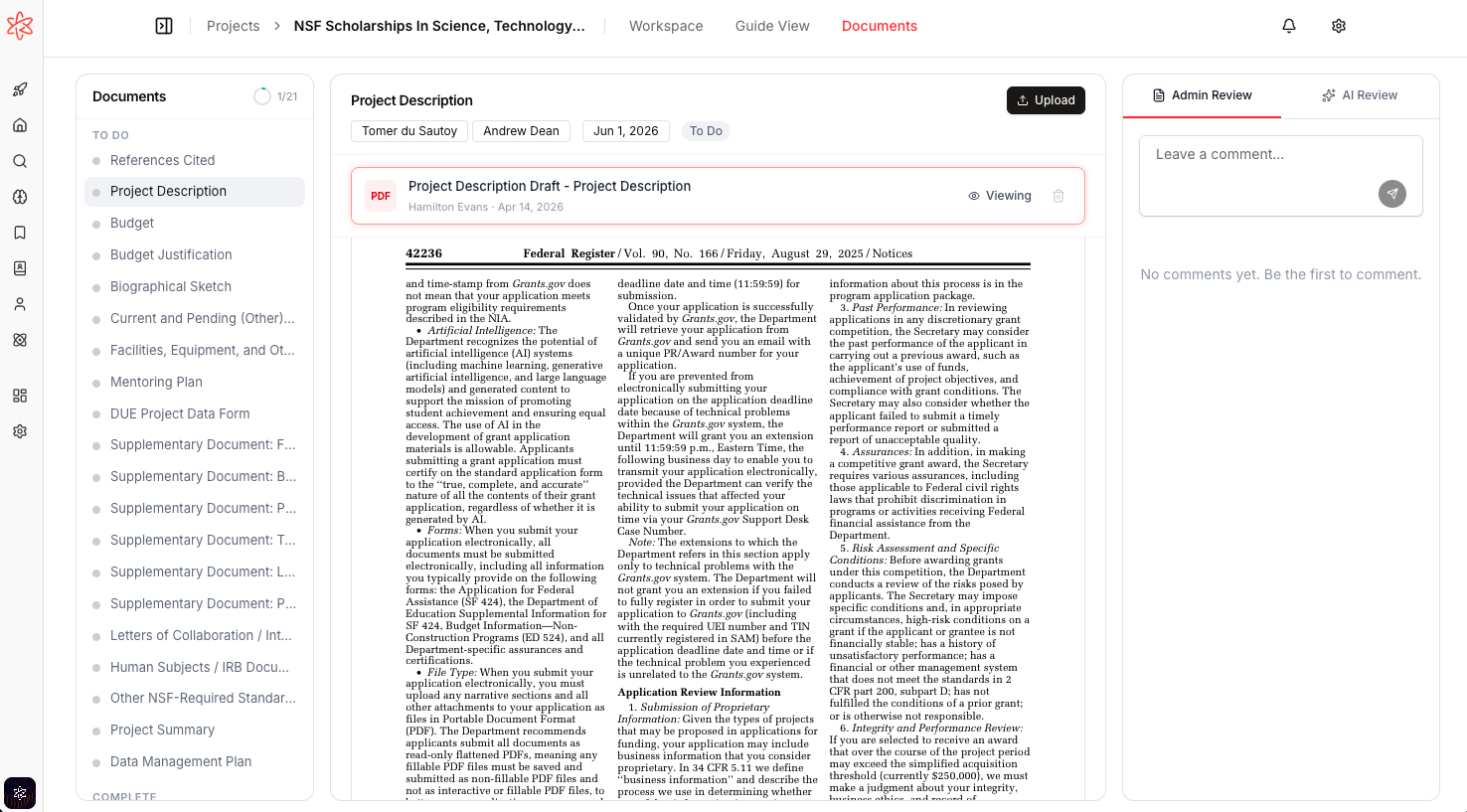
The proposals documents experience has been completely reimagined for easier collaboration and streamlined task management. This update brings a modern, card-based layout, improved navigation, and powerful new ways for all collaborators to interact with documents and tasks.
Modern card layout: The documents page now features a sleek card-based design with clear navigation, a sticky outline, and a single-document focus for clarity.
Drag-and-drop uploads: Upload new files with a simple drag-and-drop interface, including an improved empty state that invites you to get started quickly.
Task-level comments: Leave comments on tasks even before files are uploaded. The right-side comments panel is always accessible and now supports task-level discussions.
Visual polish: Enjoy a more consistent look with badge-styled dates, improved progress counters, and intuitive selection highlights.
These changes make it much easier to manage documents and collaborate with your team throughout the grant process.
Project Documents Page ProjectsNew
A brand new document portal experience is now available for project managers and collaborators. Review, comment on, and manage documents with a modern, streamlined interface designed for efficient grant application workflows.
Full-screen document portal: View PDFs and other files in a dedicated, distraction-free workspace. PDF files open in an in-app viewer with smooth navigation; non-PDFs have a tailored preview experience.
File-based threaded comments: Leave comments directly on individual files, with support for threaded replies and @mentions. Comments are now tied to files (not just tasks), making document collaboration clearer and more organized.
Text selection quoting for PDFs: Select text in a PDF, click the floating "Comment" button (or press ⌘M), and your comment will include a styled quote block and a "Page X" badge. Clicking these navigates and highlights the exact spot in the PDF for easy reference.
Tabbed right panel: Access AI review (coming soon) and Admin Review tabs alongside the document, keeping all feedback and discussion in context.
Role-aware document navigation: Managers see documents grouped as "To Do" vs. "Complete" with progress tracking; collaborators see "Your Assignments" vs. "Other Documents". The sidebar outline and card-based layout make it easy to find and work on the right files.
Grant Update Emails New
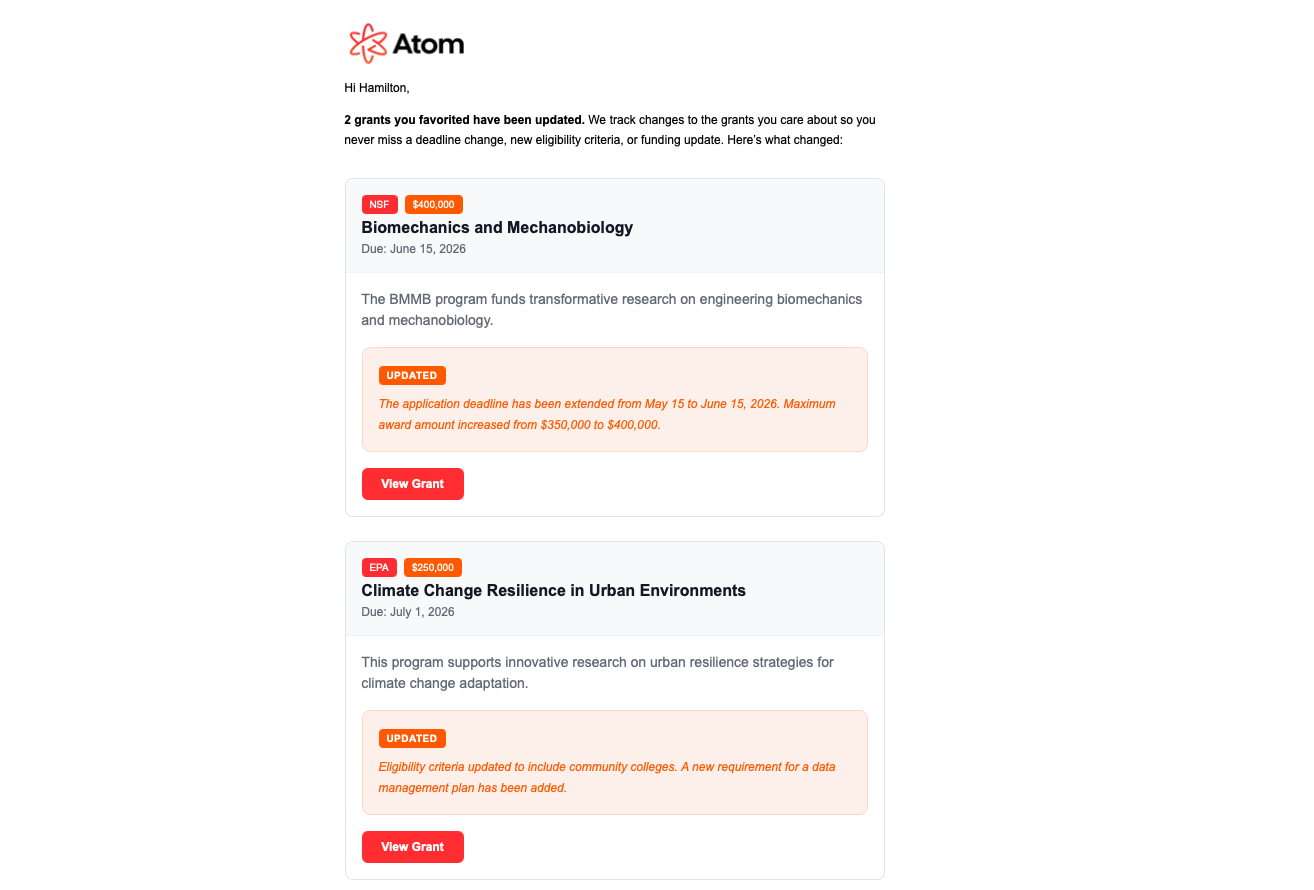
Admins can now keep their teams up to date with the latest changes to favorited grants through a new daily email digest. This feature ensures researchers never miss important grant updates, with clear summaries and improved notification management.
Daily grant update emails: Receive a single daily email summarizing all updates to grants you've favorited, including AI-generated update blurbs.
Better email management: Unsubscribe or manage preferences for grant update emails directly from your profile settings.
Improved styling and clarity: Emails now feature consistent formatting and clear, indigo-themed summaries for each update.
This new workflow replaces the old forecasted-to-posted email flow, providing a more organized and user-friendly notification system.
Project Documents Tab and File Uploads ProjectsNew
Manage all your project-related documents in one place with the new Documents tab. This addition streamlines how teams track, assign, and upload required documents for each project, making collaboration and compliance much easier.
Introducing Smart Filters New
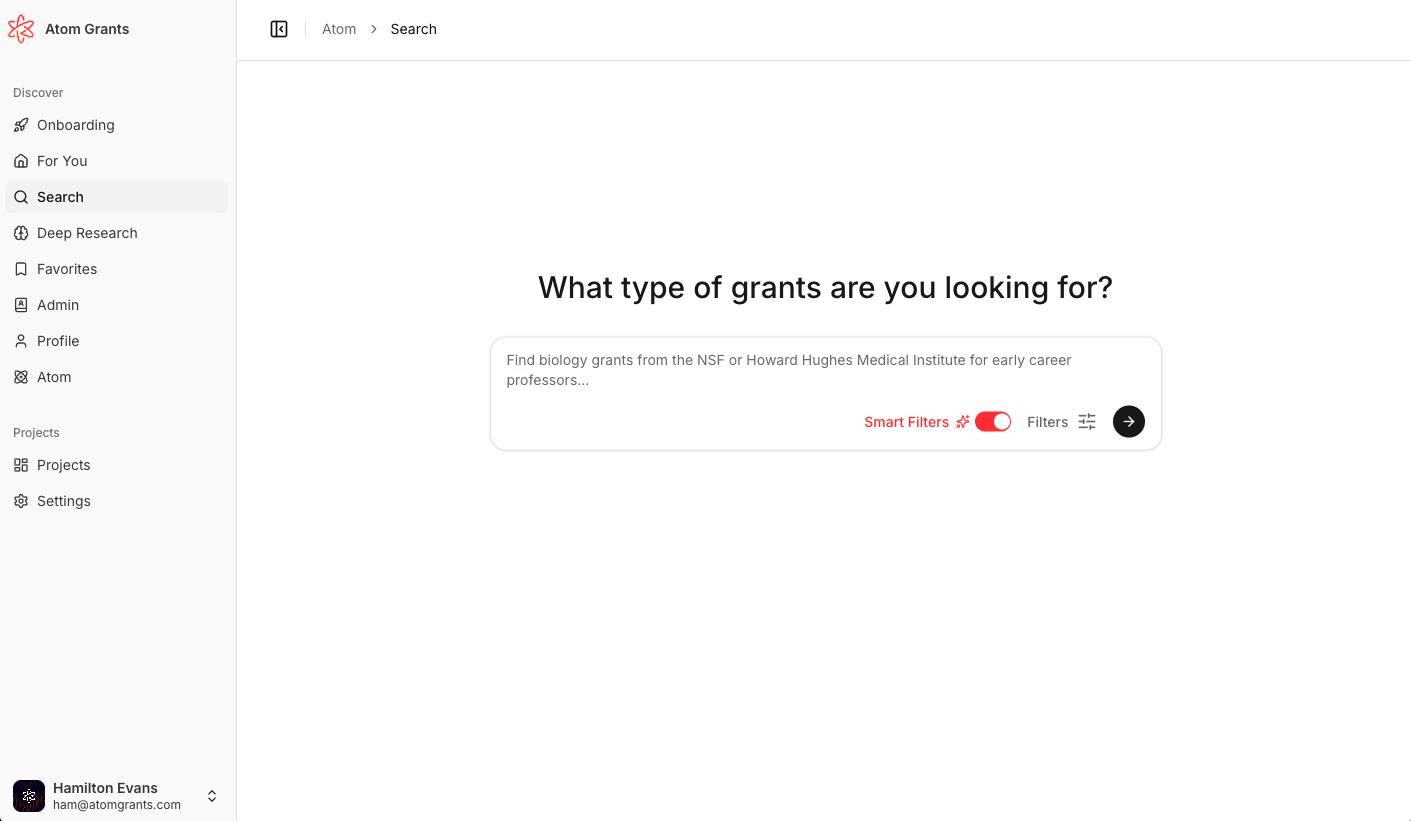
Searching for grants is now even more intuitive with the introduction of AI-powered smart filters. You can toggle AI search on or off, and Atom will remember your preference to deliver the best results for you. Filters will be automatically extracted from your search term - for example, Biology grants for early career researchers from the NSF will turn into a search for Biology with filters for Career Stage: Early Career Researchers and Funder: NSF.
AI search toggle: Enable or disable AI-driven filters in grant search and the Command-K dialog, with your choice saved to your profile.
Dynamic filtering: When enabled, AI interprets your queries and suggests smart filters; turn it off for classic search.
Seamless experience: Your AI search preference is respected across sessions and devices.
Try toggling AI search in the main search bar or Command-K to see more relevant grants, faster.
Smarter Project Roles and Permissions ProjectsUpdate
Project Roles and Management Improvements ProjectsNew
Managing your research projects and collaborating with your team just got easier. Atom now supports per-project roles, enhanced document tracking, and a dramatically improved mobile workspace.
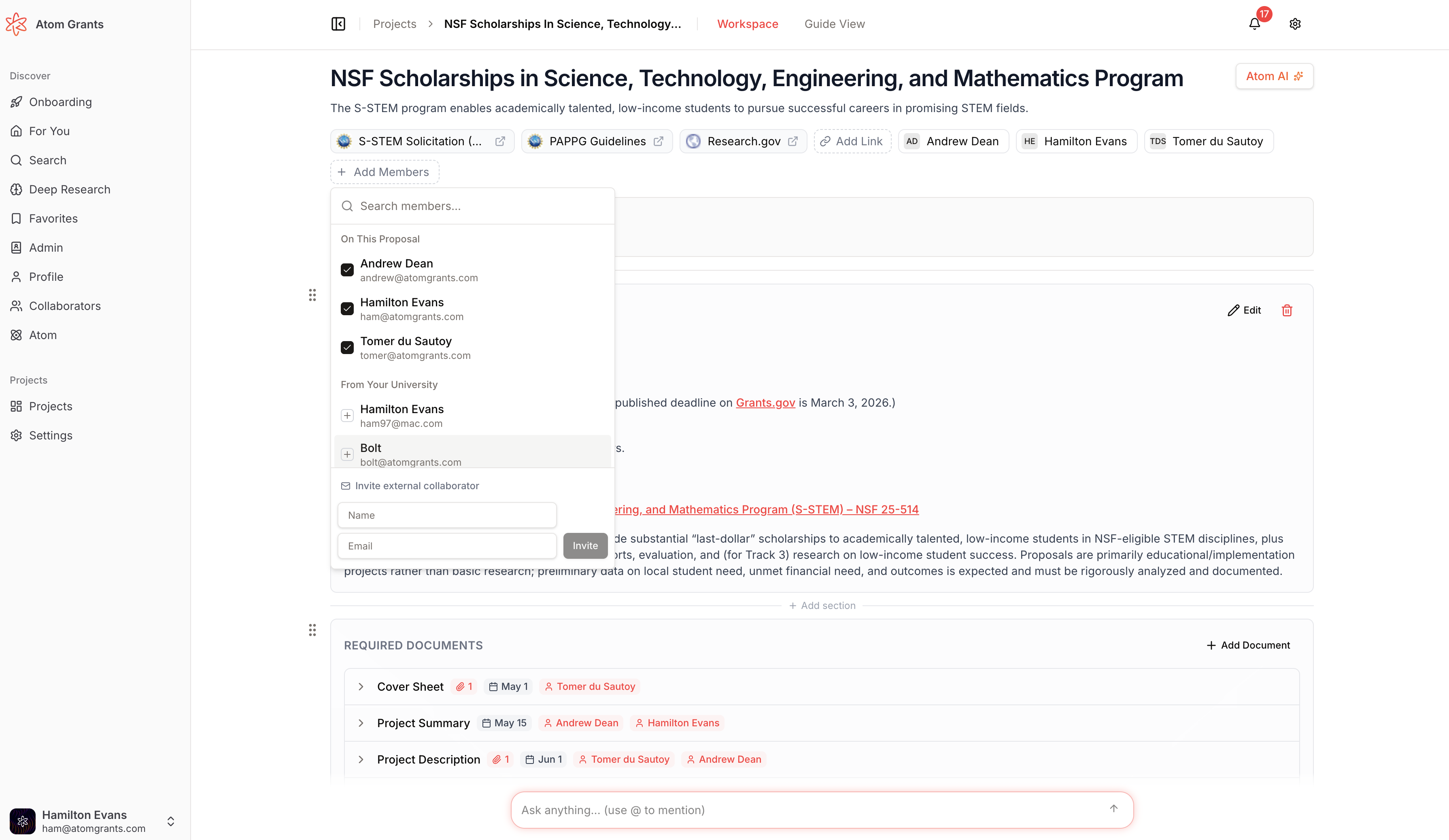
Per-project roles: Assign members as "Admin" or "Principal Investigator" or "Collaborator" for each project. Admins have full editing and navigation access, while researchers get a focused view. Role selection is available during project creation, in the add members dialog, and from the project header.
Subtasks for required documents: Break down complex requirements by adding subtasks to any required document. Subtasks support file uploads, status tracking, assignment, and deadlines—just like main tasks. Progress is now visible at a glance with badges and collapsible lists.
Status tracking for documents: Every required document and subtask now features a "To Do"/"Completed" status selector. Completed items are clearly marked, and lists automatically sort to highlight what's left to do.
Task links and sources: Tasks now display source links with favicons, making it easy to trace requirements back to their origins. Attachments and links are shown in a dedicated section for clarity.
Mobile workspace overhaul: The entire project workspace and guide views are now fully responsive. Mobile users get streamlined action toolbars, improved interaction for assigning, uploading, and editing tasks, and better layout across all devices.
These updates make it simpler for teams to collaborate, track progress, and manage every detail of your grant applications—whether you're on desktop or mobile.
Eligibility 2.0: Faster, More Accurate Grant Matching Update
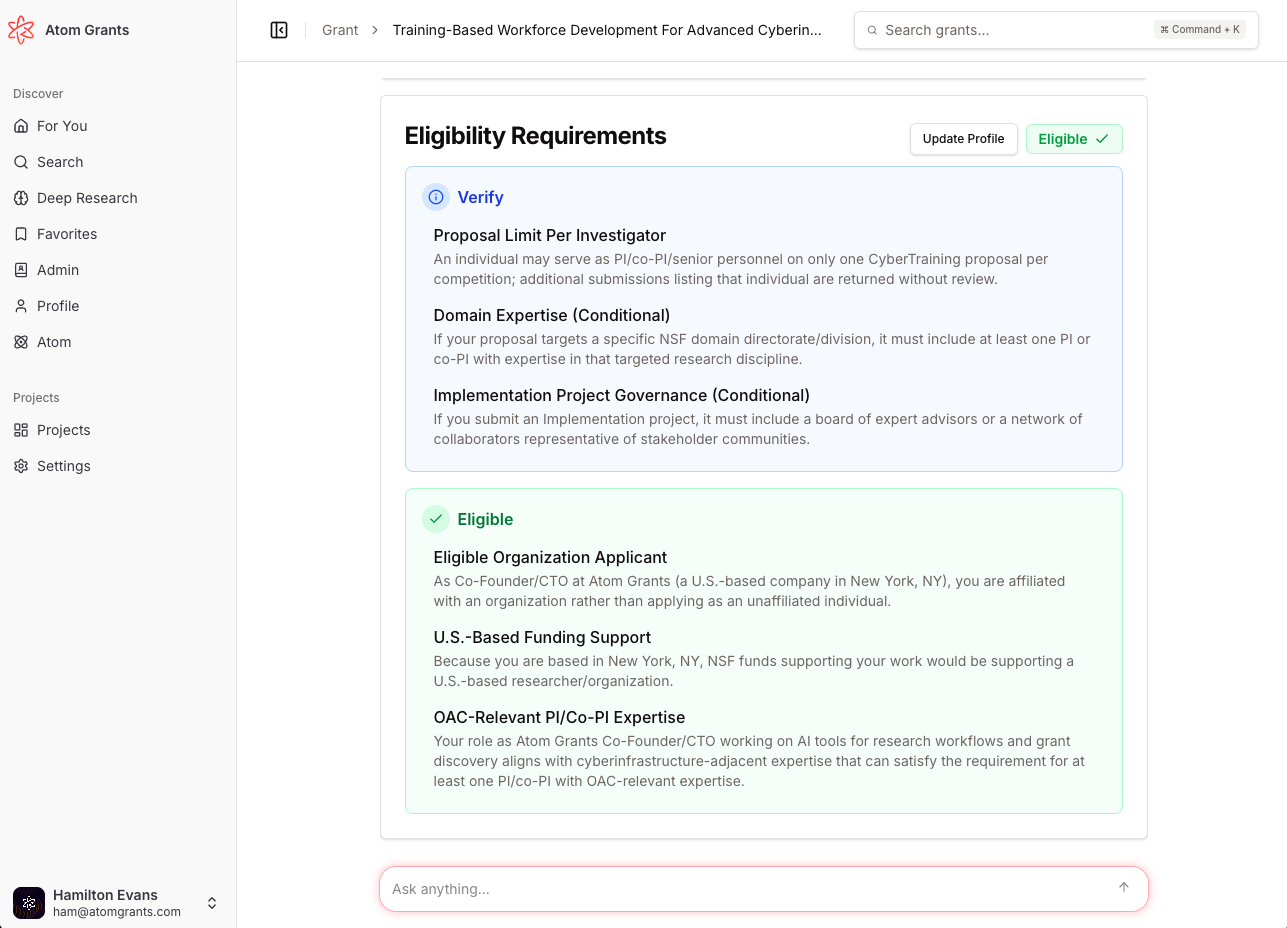
Eligibility matching has been completely reworked for both researcher profiles and grants, making recommendations and eligibility displays significantly faster and more reliable. Now, your profile's eligibility is extracted and updated automatically whenever you change your research interests or profile details. Grant eligibility requirements are clearly displayed, and matching is based on explicit criteria—not just page content.
Automatic eligibility extraction: Profile and grant eligibility are now extracted using AI and updated instantly on profile or research interest changes.
Clear eligibility panels: See eligibility requirements and your fit on both your profile and each grant's overview.
Faster, smarter matching: Grant recommendations and emails now use pre-extracted eligibility data for speed and precision.
Improved UI: The right-side panel on your profile page shows your eligibility; grants show clear requirement breakdowns and fit scores.
Better feedback: Easily provide missing info or feedback if a requirement isn't clear.
This upgrade means you’ll see more relevant grants, get better recommendations, and have a clearer view of your eligibility status across the platform.
Instant Researcher Dropdowns for Admins
Hide Grants from Recommendations New
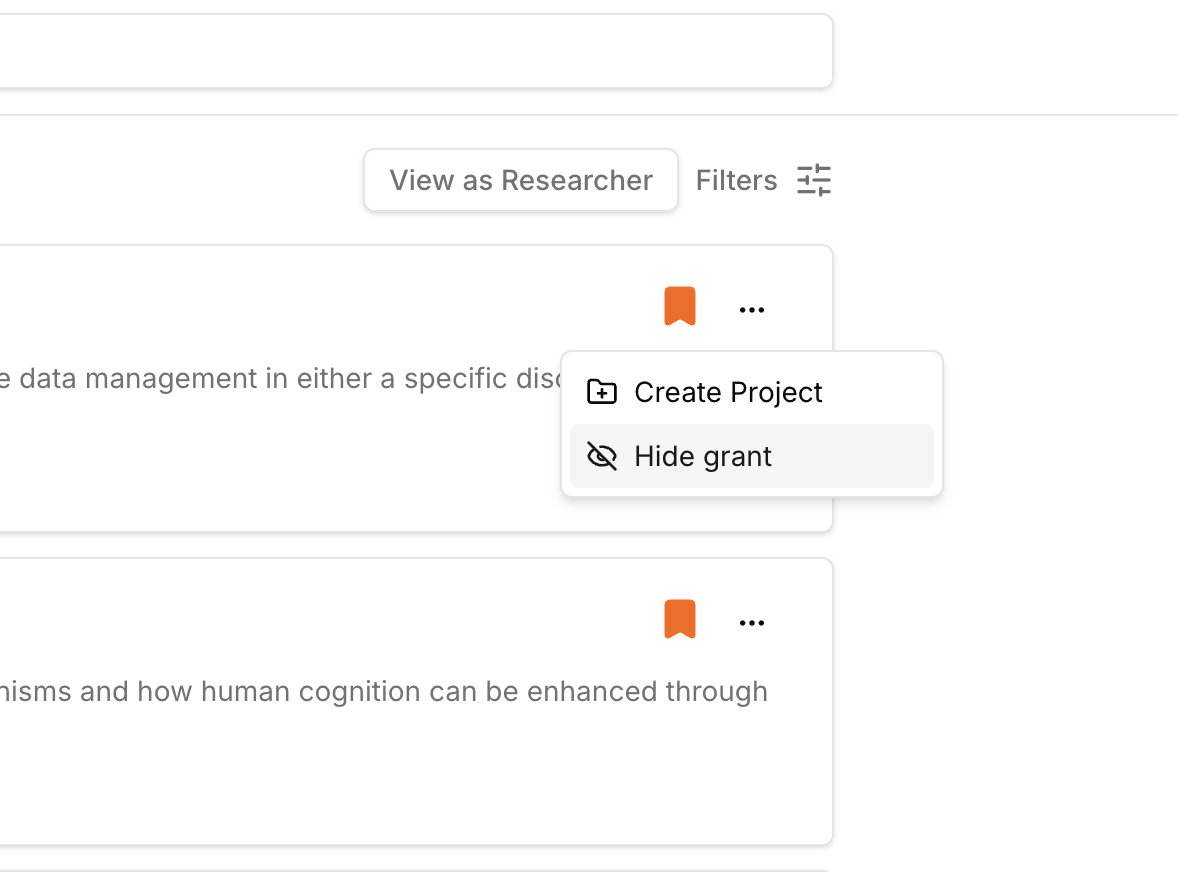
Take control of your grant recommendations and email digests with the new hide grants feature. You can now easily remove grants that aren't relevant to you, ensuring your feed and notifications stay focused on the opportunities that matter most.
One-click hide: Instantly hide any grant from your recommendations, "For You" feed, and grant digest emails with a single click.
Undo at any time: Accidentally hid something useful? You can quickly unhide grants from your hidden list and restore them to your recommendations.
Personalized suggestions: Hidden grants help tailor the Atom algorithm to understand what areas you like and don't like, making your experience more tailored and efficient.
This feature helps you cut through the noise and focus only on the funding opportunities that fit your research goals.
Lightning-Fast Global Search New
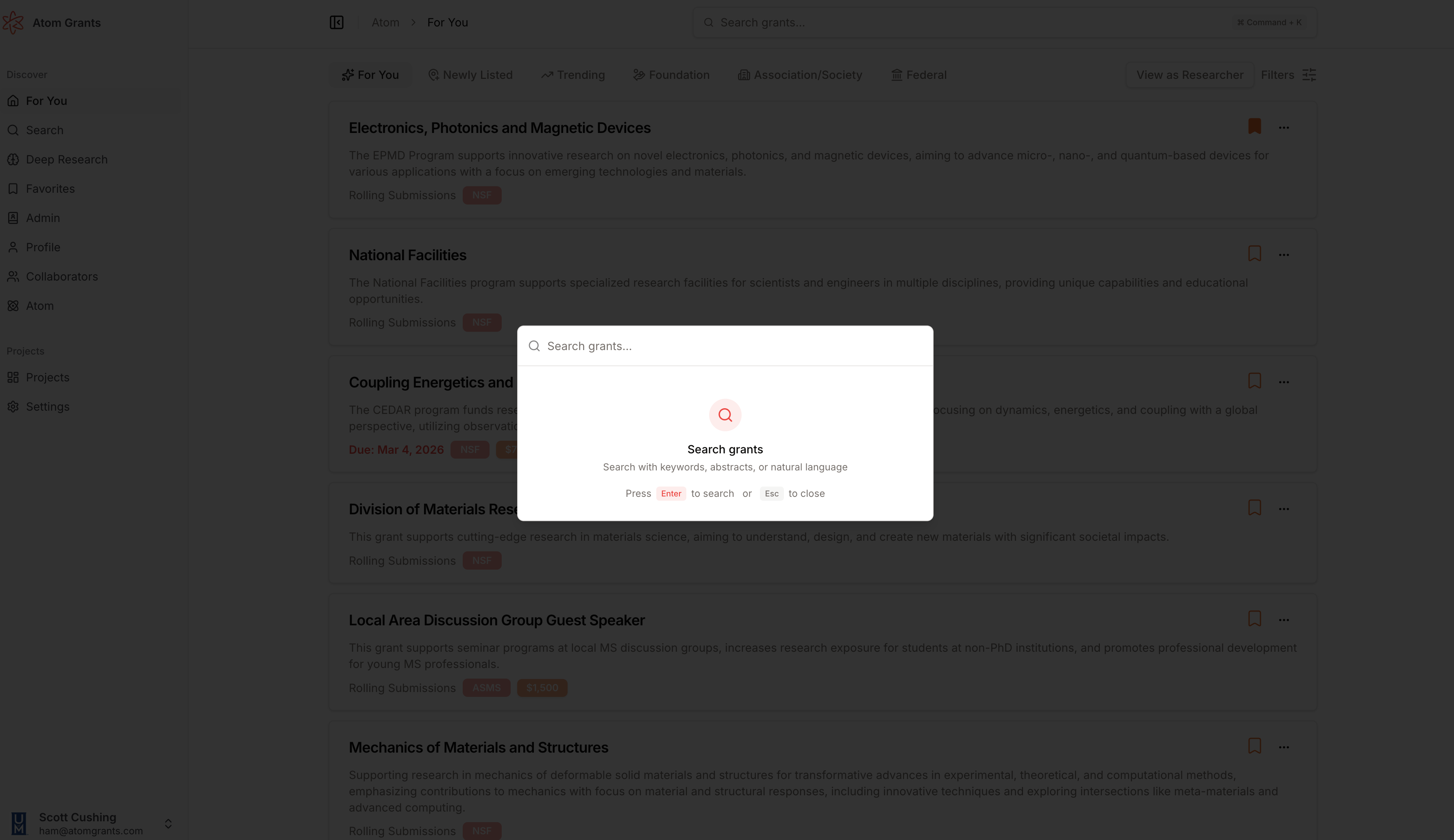
Instantly search for grants from anywhere in Atom using the new global search shortcut. Press Cmd+K (Mac) or Ctrl+K (Windows) to open a quick search dialog, type your query, and jump straight to results—no matter where you are in the app.
Project Guide Workspace ProjectsNew
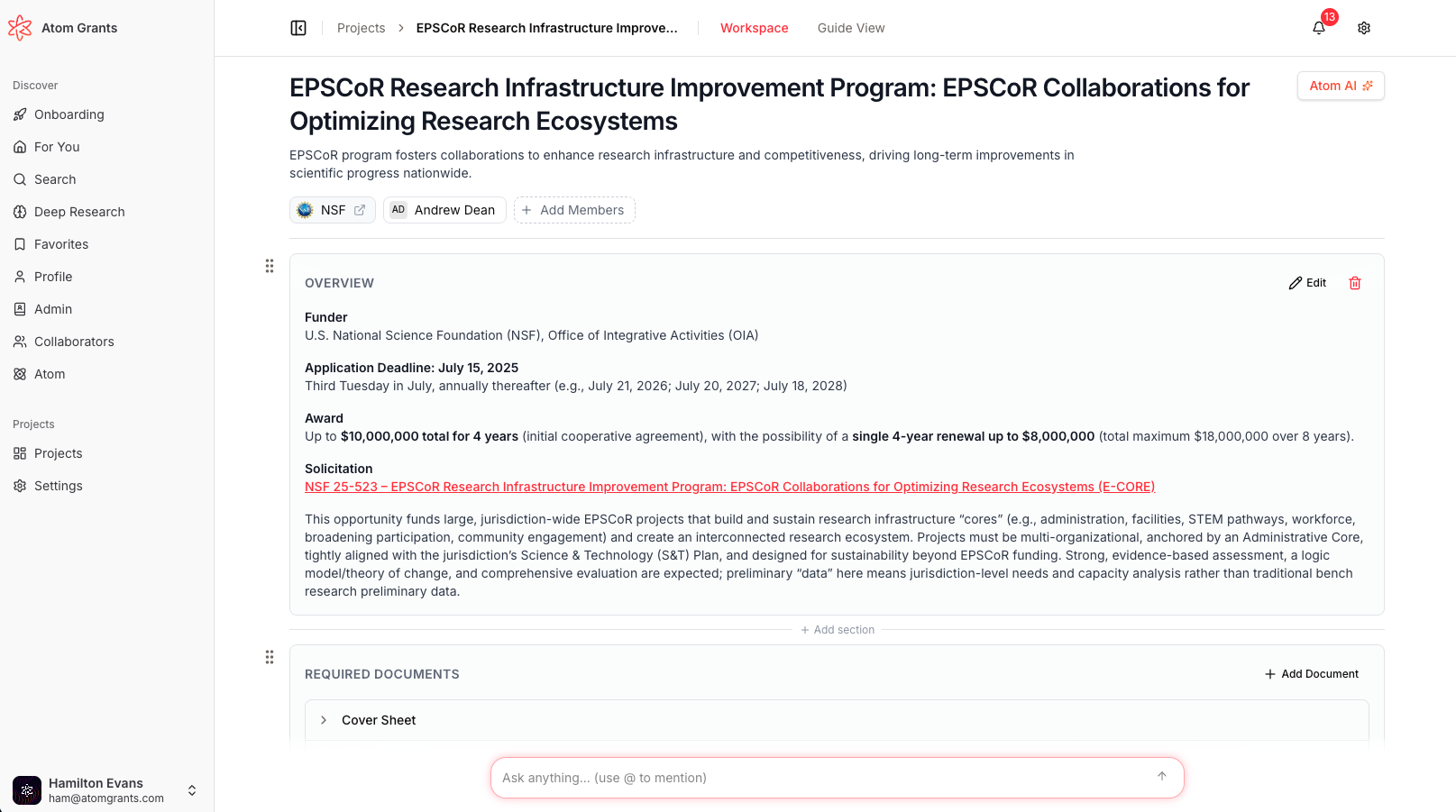
The Project Guide experience has been completely reimagined for both admins and researchers, making it easier than ever to create, edit, and use project guides for grant applications. Admins now have powerful inline editing, drag-and-drop organization, and a persistent chat panel, while researchers get a focused, actionable Guide view that keeps them on track.
Role-based Guide views: Admins access a Notion-like workspace with inline guide editing, drag-and-drop reordering of sections and documents, and instant updates across the project. Researchers see a streamlined, read-only Guide with a sidebar listing only their projects.
Drag-and-drop organization: Easily reorder Guide sections and required documents; changes are saved instantly and reflected everywhere.
Inline editing and enhancements: Admins can edit Guides directly in place, with improved printing, PDF export, and robust preservation of user-added content.
Unified chat experience: Chat is now a persistent side panel in all Guide views, with quick toggling and improved visibility for collaboration.
Improved navigation: Admins enjoy a project “hub” for operational management; researchers benefit from direct sidebar access to their grants and a clean two-tab layout.
Privacy Mode for Researchers New
Privacy is a primary concern at Atom. No one can view researcher data and information except research administrators at your university. Privacy mode takes this a step further, now letting researchers hide their research interests, search history, favorites, and grant visits from their research administrators, ensuring greater privacy and control over personal information within your University.
Privacy toggle in profile settings: Easily enable or disable Privacy Mode with a new toggle in your profile settings, with clear descriptions and confirmation toasts.
Admin activity feeds respect privacy: When Privacy Mode is on, your activity is excluded from admin search, favorites, and grant visit feeds.
Private badge and notifications: Your researcher card will display a "Private" badge, and admins see a privacy notice on your profile instead of detailed data.
This feature empowers researchers to decide exactly what information is visible to their institution’s admins.
Scheduled Sending for Faculty Invites AdminNew
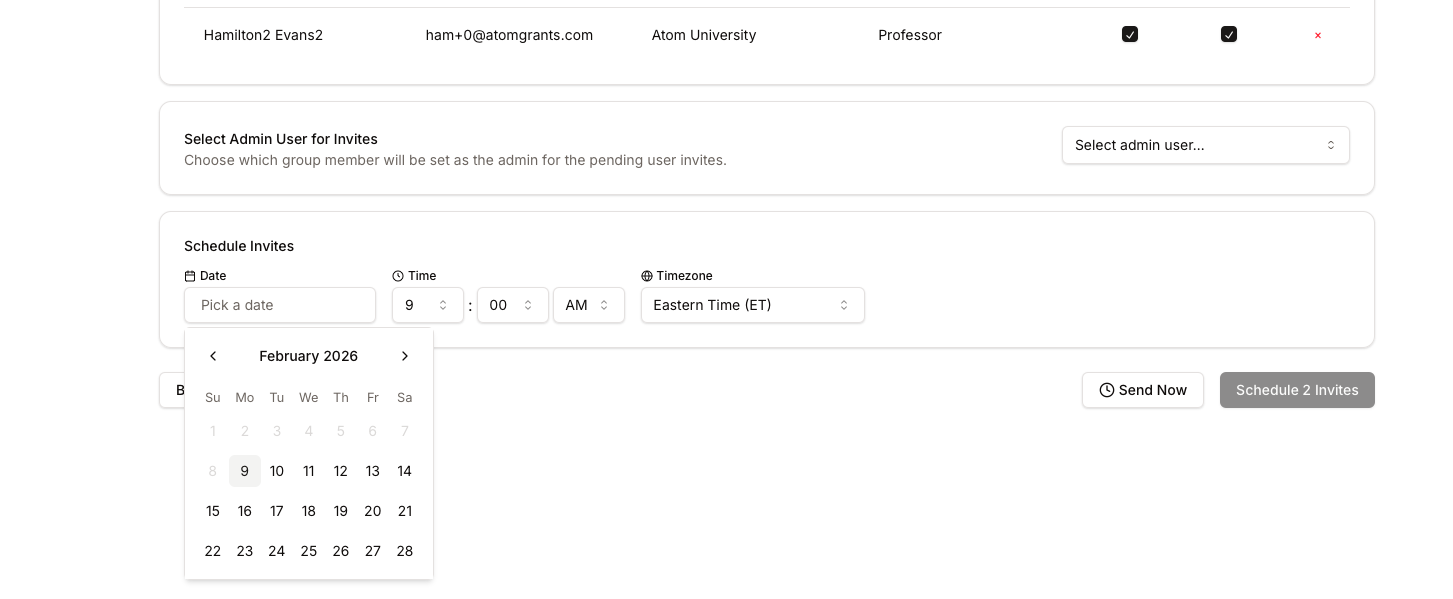
Admins can now schedule bulk faculty invites to be sent at a future date and time, making it easier to coordinate outreach and manage onboarding. The new scheduling feature offers flexibility and control over when your team receives their invitations.
Schedule invites: Choose a specific date, time, and timezone for sending faculty invites, or send immediately as before
Batch management: View, reschedule, or cancel upcoming invite batches directly from the Recent Invites page
Improved admin flow: Confirmation dialog when sending invites without an admin selected, and enhanced UI for managing invite batches
Automated delivery: Scheduled invites are sent automatically at the chosen time, with reliable status tracking
This update streamlines faculty onboarding and ensures invites go out exactly when you want.
Guided Project Creation & AI Task Generation ProjectsNew
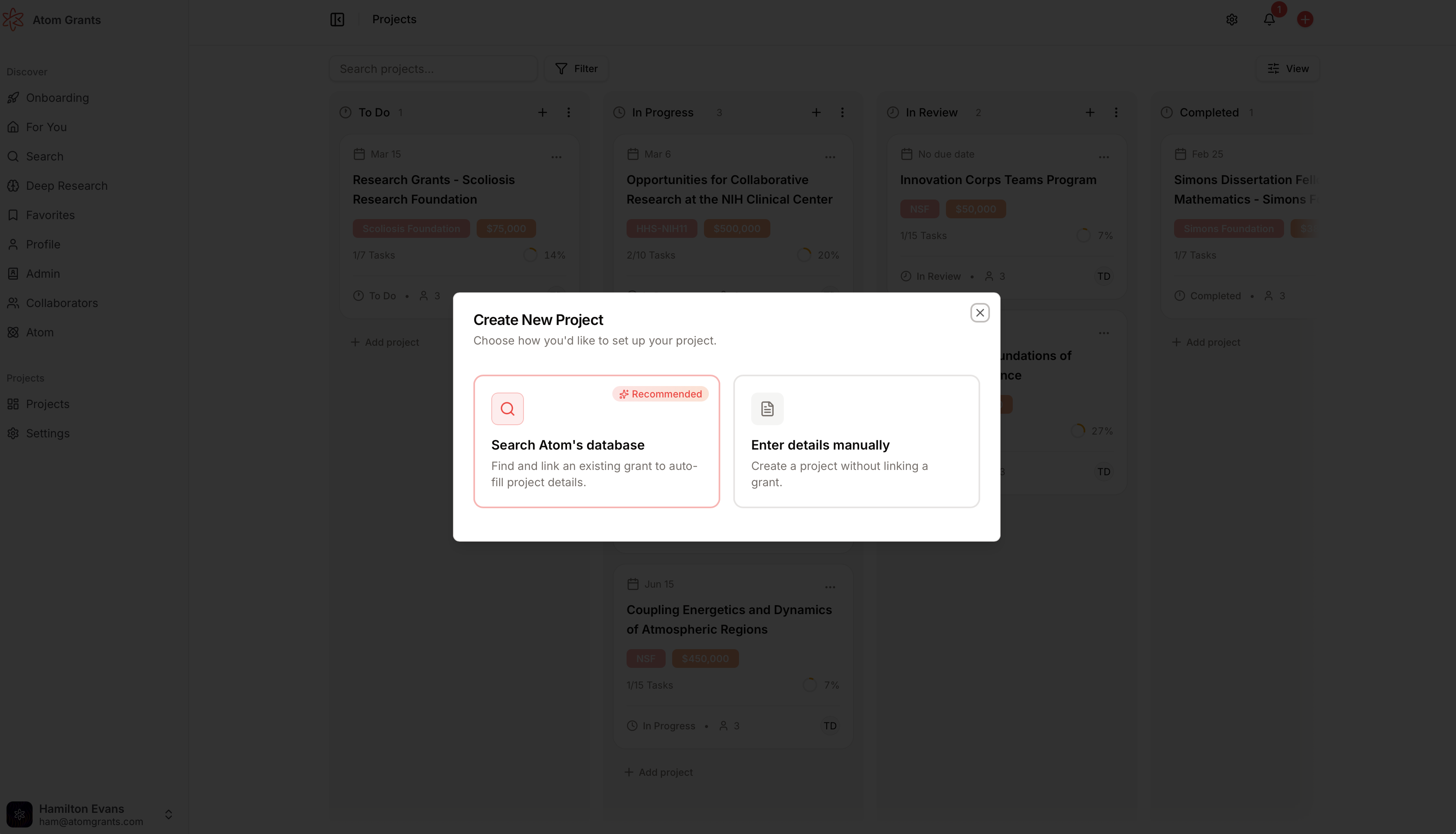
A brand new multi-step project creation wizard makes it easier than ever for admins to set up projects with the right structure, team, and tasks. The guided onboarding flow supports associating grants, defining project details, assigning roles, and customizing task generation—all with AI-powered suggestions.
Step-by-step onboarding: Link grants, enter project details, assign team members with roles (PI, Co-PI, Admin, Contributor), and configure task generation in a clear, progressive flow
AI-powered task generation: Automatically create project tasks based on category, with configurable detail level and assignment to specific roles or users
Draft projects & resume later: Start a project, save it as a draft, and finish onboarding when you’re ready—drafts are private until published
Flexible team management: Assign roles to team members and fine-tune who is responsible for each type of task
Review before launch: Preview all project settings and task assignments before finalizing
This new workflow saves time and ensures every project is set up for success from the start.
University-Level Task & File Templates
Projects Board Multi-View & UX Overhaul Projects
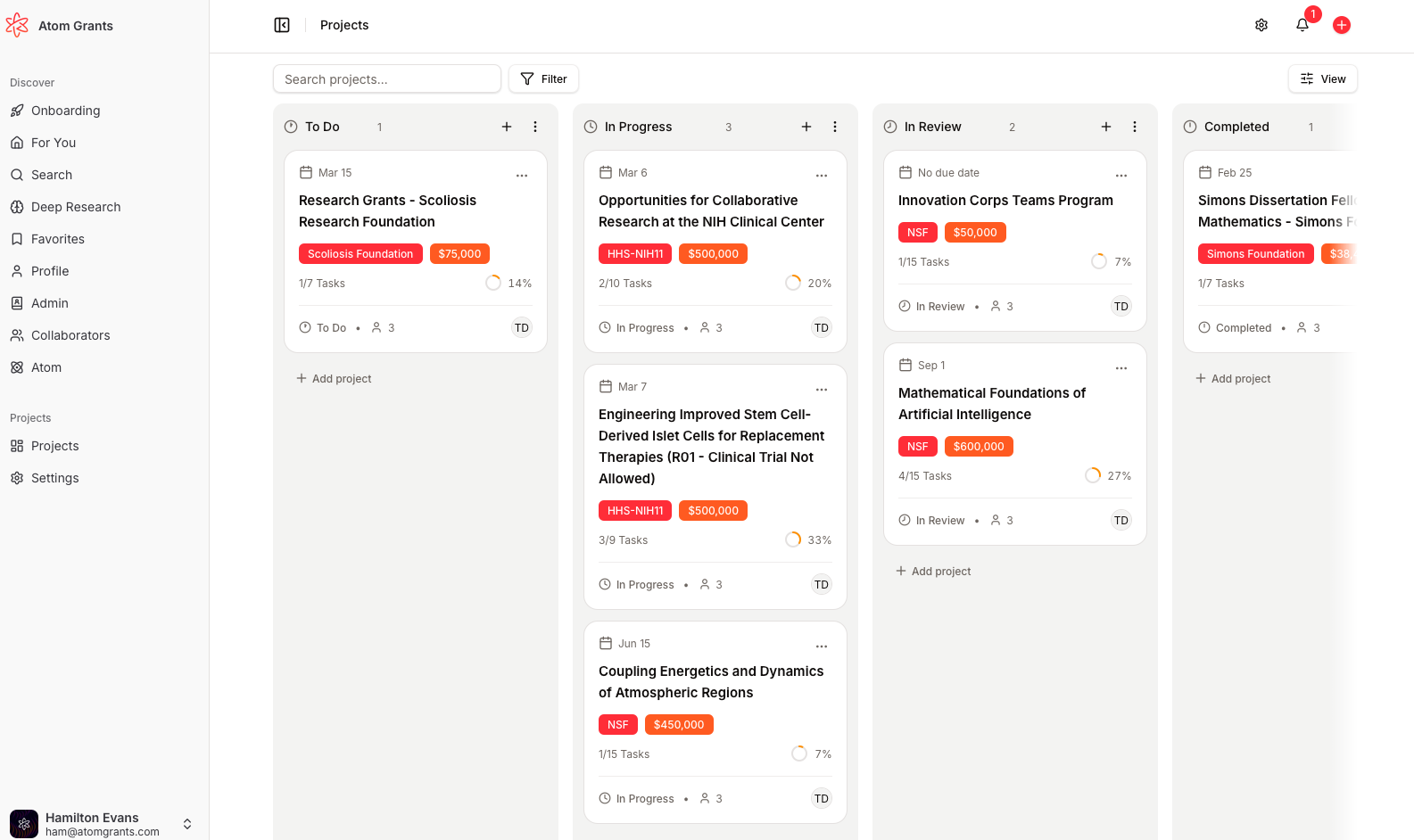
The Projects Board has been completely reimagined to help you manage your research projects more flexibly and efficiently. With new views and powerful filtering, it’s easier than ever to track progress, organize tasks, and collaborate with your team.
Multiple views: Instantly switch between board, list, and a new Gantt-style timeline view to visualize your projects the way you work best
Advanced filtering & search: Filter projects by assignee, department, funder, or tags, and use the new search bar to quickly find what you need
Drag-and-drop everywhere: Move tasks and projects between columns or along the timeline with smooth, intuitive drag-and-drop
Project editing & status control: Edit projects directly from the board, adjust statuses, and manage columns with simple dialogs
Personalized experience: Your preferred board view is now saved to your profile and remembered on every visit
Visual polish: Enjoy a refreshed, modern interface with improved loading states and clearer layouts
This update makes project management in Atom more visual, customizable, and user-friendly.
Interactive Analytics Dashboard AdminUpdate
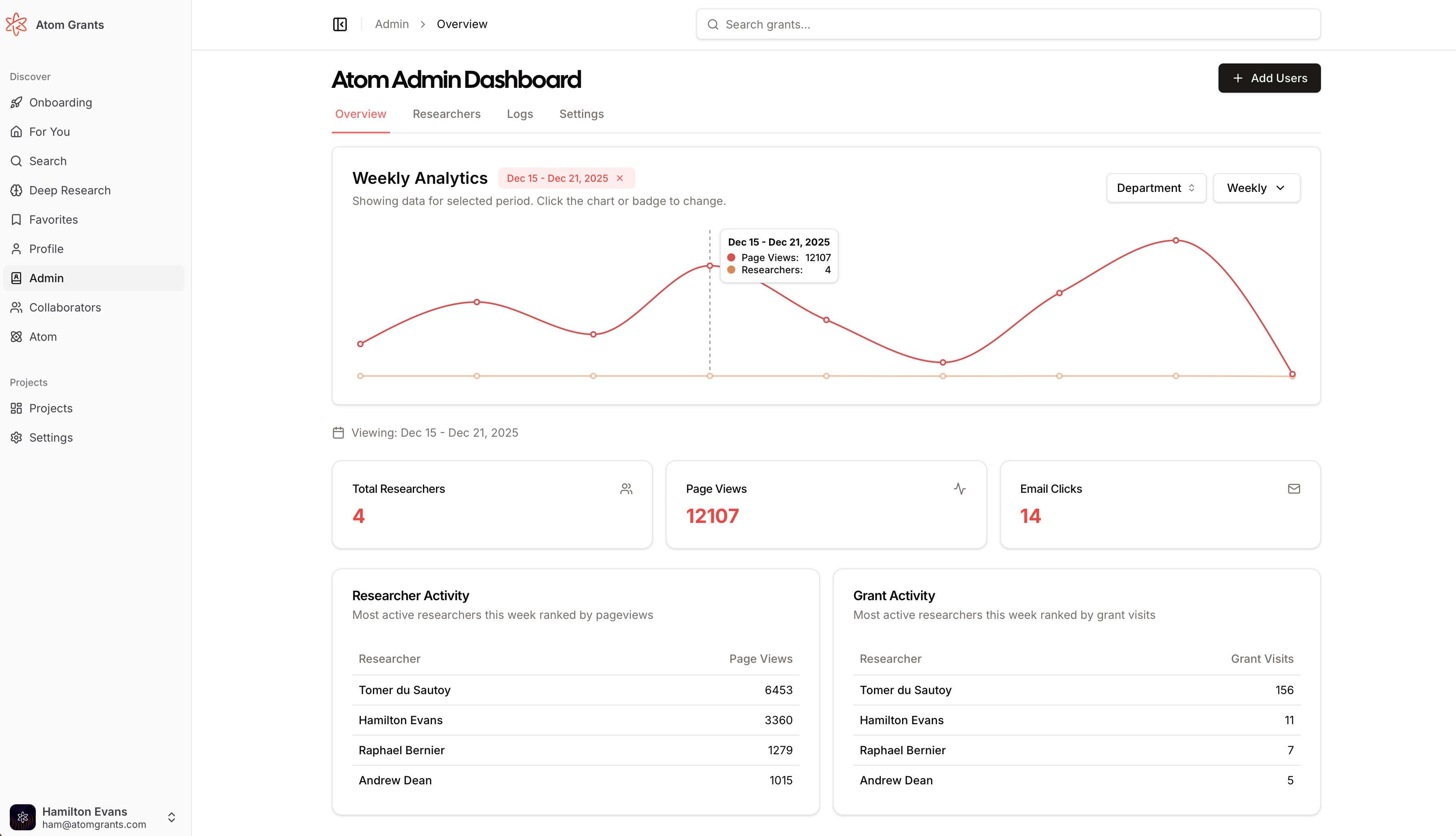
The admin analytics dashboard is now interactive and modular, making it easier than ever to drill into your organization’s grant activity. Click any data point on the analytics chart to instantly filter all dashboard data to that specific date range.
Clickable chart filtering: Click on any data point to filter stats, leaderboard, and charts to that exact date range. A persistent reference line and badge make the selected period clear.
Modular dashboard components: The dashboard is refactored into dedicated sections for charts, leaderboards, stats cards, and active date range display. Each updates automatically as you interact.
Seamless teamwork: All dashboard sections stay in sync as you explore, with better performance and clearer separation of concerns.
URL-driven filtering: Selected date ranges are reflected in the URL, making it easy to share or bookmark filtered views.
Enhanced reliability: Under-the-hood improvements ensure data accuracy and smooth updates as you filter and explore.
Post-Deadline Grant Follow-Ups New
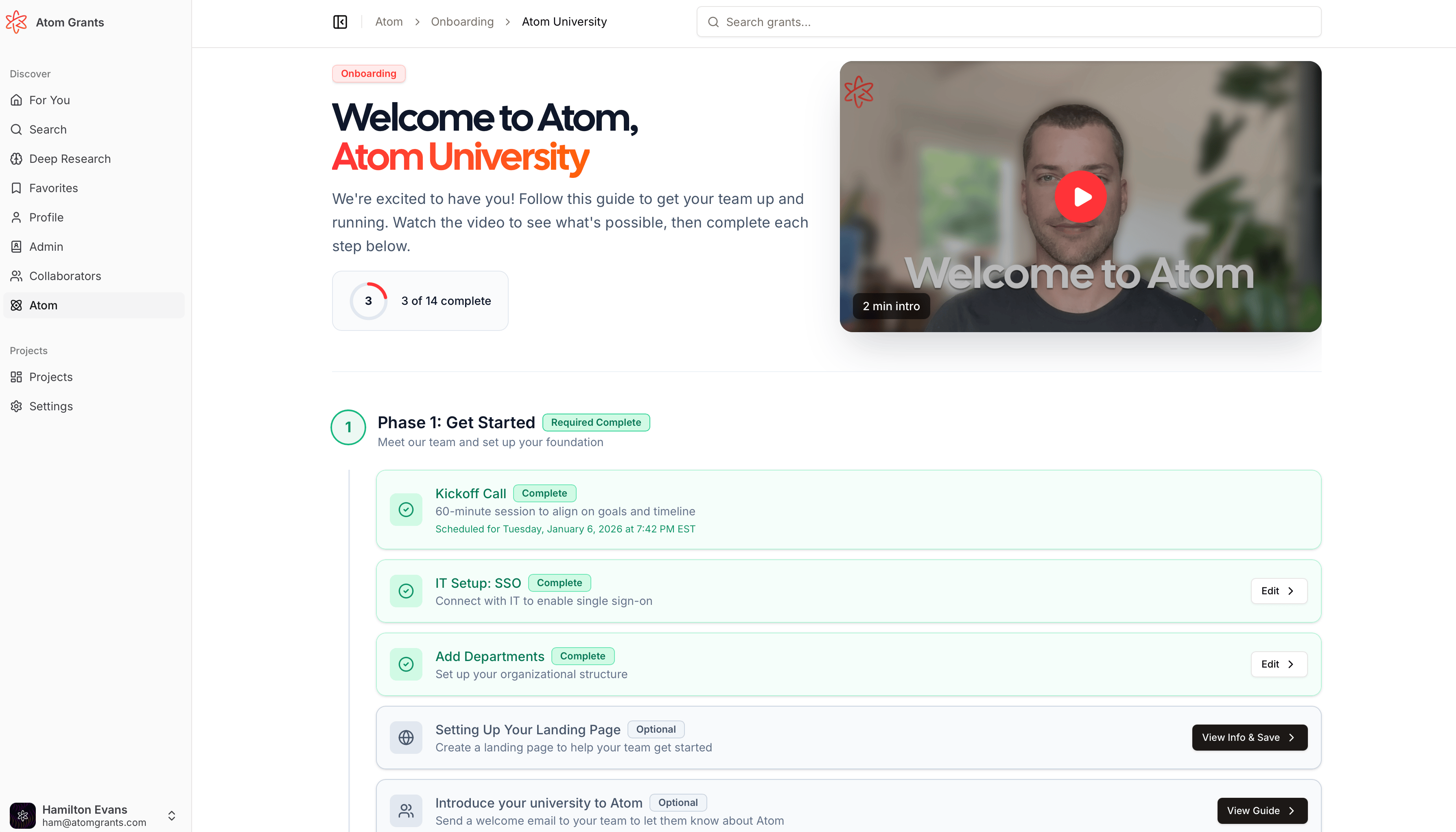
University Onboarding DashboardAdminNew
University admins can now easily monitor and track every step of the onboarding process for their institution. This update provides clear visibility into custom email domain setup, InfoReady integration status, and faculty onboarding progress, making it straightforward to ensure your organization is fully set up on Atom.
Step-by-step progress tracking: See the status of each onboarding task, from email domain setup to faculty list uploads, all in one place
Faculty onboarding templates: Access and download templates to streamline department assignments and faculty invitations
Bulk invites & department assignment: Easily invite multiple faculty members and assign departments in a single step
Automated notifications: Receive timely updates on onboarding progress and upcoming meetings
These enhancements help admins keep onboarding on track and ensure nothing gets missed.
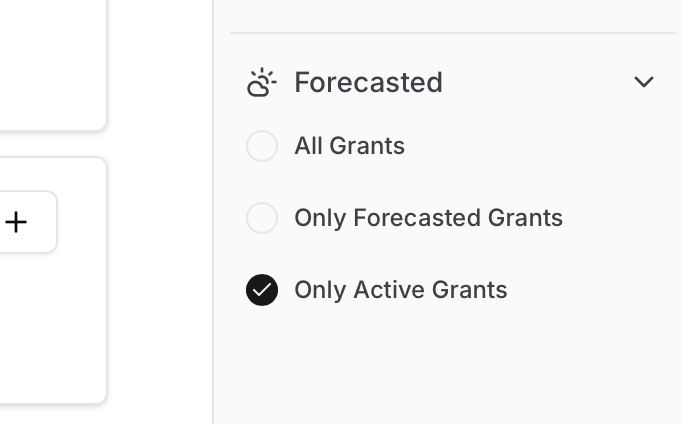
Forecasted Grants Filter New
Grant discovery just got more precise. Users can now filter out "forecasted" (not yet active) grant opportunities from both the dashboard and grant search, helping you focus only on currently available funding options.
Quickly see which tasks and subtasks have files attached in your project’s documents section. Each task now displays a paperclip icon and file count if files are present, so you can spot at a glance where key documents live—saving you clicks and time when managing complex projects.
Visual indicator: Paperclip icon + count appears next to tasks/subtasks with attached files
Real-time updates: File counts update immediately after uploads
Consistent design: Matches the familiar style used elsewhere in Atom for document requirements
Expanded document status workflows
Auto-trigger AI document review: When you upload a file to a project, the AI review starts automatically—no more extra clicks.
Guide and document export improvements: PDFs and shared guides now respect renamed section headings and improved document ordering.
These changes make project management in Atom faster, clearer, and more flexible for all users.
Researcher Search and Collaborators New
Researcher profiles are now live! You can search for researchers, view detailed profiles, and see enriched information powered by OpenAlex and Gemini. This feature helps you discover collaborators and understand research networks across institutions.
Researcher search and detail pages: Find researchers by name, affiliation, or research area, and view their profiles with publications, affiliations, and enriched summaries.
OpenAlex integration: Profiles are synced with OpenAlex and enriched with data from ORCID, Wikidata, and Gemini AI.
Up-to-date researcher data: Profiles are refreshed regularly to ensure accuracy and completeness.
Improved Grant Page SEO and Signed-Out Experience Update
Grant detail pages and Atom's marketing content are now more discoverable and user-friendly for both signed-in and signed-out users.
Richer page titles and metadata: Grant pages now show titles like "{title} by {funder} {year} | Atom Grants," boosting search engine visibility and social sharing.
Improved sitemap: Only active, searchable grants appear in the sitemap, along with case studies and resources, ensuring better crawlability.
Signed-out experience redesign: Visitors who are not logged in see a focused overview, limited similar grants, and clear sign-in prompts when accessing restricted features.
Consistent metadata for blog, case study, and webinar pages: All content now has unique OpenGraph/Twitter titles and descriptions.
Update
Projects
Admins can now manage project documents more efficiently with powerful new bulk editing and subtask features. These enhancements streamline the workflow for assigning, updating, and tracking required documents within projects.
Bulk Edit Toolbar: Select multiple documents (including subtasks) and update due dates, assignees, or status in one action—complete with a one-click revert for any bulk change.
Subtask Navigation: Subtasks are now visible and navigable within the documents outline, featuring progress indicators and expandable parent rows for clear task management.
Improved Selection: Master checkbox with indeterminate state, parent/subtask cascades, and instant UI updates for a Gmail-like experience.
Persistent and Revertible: All changes are snapshot and can be reverted individually, ensuring safety and control.
These improvements help admins and teams keep complex projects organized and on track with less manual effort.
White-Label Email Branding AdminNew
Atom now supports per-group white-label branding for transactional emails, allowing organizations to deliver a fully branded experience to their users.
Custom Logos and Colors: Group admins can set primary and secondary brand colors and upload a custom logo for all outgoing emails once enabled by an Atom admin.
Branded Sender Identity: Configure custom sender names and email addresses, with validation to ensure consistency and readability.
Consistent Branding: Grant alerts, digests, invites, shares, and reminders all reflect your organization’s brand, with accessible button/badge colors and a “Powered by Atom Grants” footer.
Safe Defaults: Validation prevents unreadable color choices and ensures fallback to Atom branding if no custom settings are provided.
This update helps organizations strengthen their identity and trust with every email sent from Atom.
Accessible everywhere: Download button appears in the guide view (admin and non-admin), and in the documents workspace sidebar
Clean, branded output: The PDF includes project title, deadline, and descriptions, formatted with Atom branding
Streamlined collaboration: Share a focused list of requirements with collaborators or stakeholders, without digging through the full guide
Easy to use: Just click the new download icon—no setup required
Look for the new download icon in your project guides and documents workspace.
Visual polish: Updated card design, consistent badges, and improved upload actions create a more intuitive and attractive workspace.
This overhaul brings clarity and speed to document-based grant workflows, making it easier for teams to collaborate, review, and track progress.
Documents tab in project navigation: Access all required documents from a dedicated Documents tab on every project.
Inline editing and uploads: Project managers can update status, due dates, and assignees directly in the table. Collaborators see a clear, read-only view of their assignments.
File upload per document: Upload multiple files directly to each document row. Task status updates automatically as files are added or removed.
Compact file display: See all uploaded files in a streamlined, easy-to-scan format.
Find the new Documents tab in your project dashboard to start organizing and tracking your required submissions.
Project management and team collaboration just got more flexible and transparent. Atom now supports a richer set of project roles and clearer permissions, making it easier for organizations to assign the right level of access and control.
New roles: PI and Collaborator: Projects now distinguish between Principal Investigators (PI), Collaborators, and Admins. PI users have admin-level access, while Collaborators have read-only/project-contributor access.
PI management powers: PIs can now add or remove project members, change member roles, and invite external collaborators—no longer limited to project/group admins.
Admin and PI navigation: PIs now get full project dashboard access, not just the guide; Collaborators are directed to the guide by default.
Role assignment clarity: Group admins are auto-assigned the Admin role when added to projects, and only group admins can be made project admins. External collaborators can be assigned any role.
Unified permission checks: All project permissioning (including file deletion, member management, and invitations) is now consistently enforced server-side, reducing errors and confusion.
These changes mean your team can collaborate more effectively, with the right people empowered to manage projects without bottlenecks.
Admin
Update
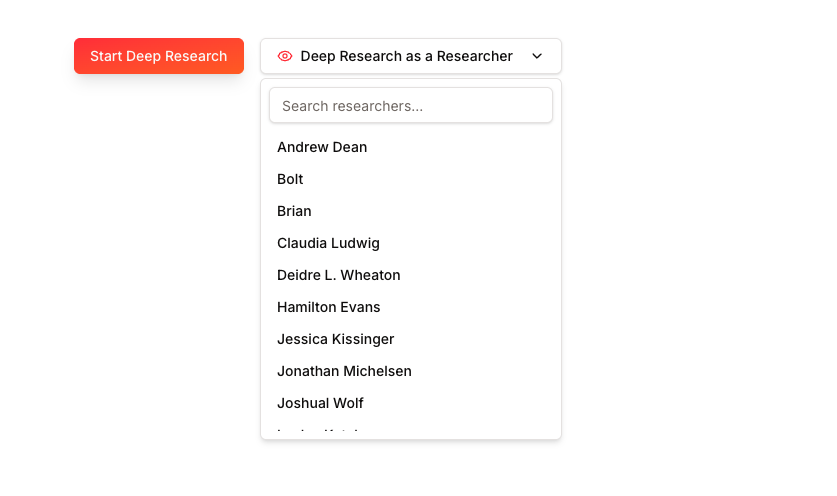
Admin "View as Researcher" dropdowns are now lightning-fast and more accurate. The first 100 group members load instantly, and searching now covers all roles while always excluding yourself from the list.
Instant dropdowns: No more waiting—members appear as soon as you open the dropdown.
Comprehensive search: Find any group member, regardless of their role.
Self-exclusion: You’ll never accidentally select yourself when impersonating another researcher.
Consistent styling: Dropdowns look and behave the same across dashboard, Deep Research, and grant sharing dialogs.
This update saves time and removes confusion for admins managing large teams.
Grant Notification Emails New
Users who favorite a grant now receive email notifications when a forecasted grant goes live, ensuring timely updates. For federal grants that have been listed for a while as "forecasted", if you have favorited that grant, we email you the day the actual grant listing goes live ensuring you never miss an opportunity that has been listed!
Universal shortcut: Cmd/Ctrl+K opens search from any page
Seamless navigation: Search results update instantly and take you directly to matching grants
Time-saving workflow: Find and act on funding opportunities without breaking your flow
Project Collaboration Overhaul ProjectsUpdate
Managing projects and collaborating with your team just got a major upgrade. Atom now makes it easier to assign tasks, invite external collaborators, and keep all your project information organized and actionable.
Assign documents to team members: Project admins can now assign required documents to specific group members, making responsibilities clear. Assigned users see a dedicated "Your Assignments" section for quick access.
Invite external collaborators: Bring in colleagues from outside your organization as project guests. Easily invite by email, manage their access, and remove them when needed—all from the project member dialog or during project creation.
User-managed project links: Add, edit, and organize key links (with favicons and labels) right in your project header. These links are visible in both the workspace and guide view, and included in downloaded PDFs.
Smarter project access and navigation: Project and Discovery subscriptions are now managed separately, ensuring users only see what they're entitled to. Smoother login flows and clearer access states help everyone get where they need to go.
These improvements save time, reduce confusion, and make project teamwork seamless—whether you're working with internal colleagues or outside partners.
These Guide-focused improvements make it easier to manage complex grant workflows and keep everyone aligned throughout the application process.
Multi-Owner Onboarding Flow Update
Multiple research administrators can now join onboarding at once, streamlining onboarding for institutions and project teams. Each contact receives a tailored signup link, sets their password on a dedicated page, and is welcomed with a new onboarding experience.
Bulk invitations: Send kickoff emails to several new owners in one go—accounts are auto-created, and all receive personalized invites.
New password and welcome pages: Invite links now route to a dedicated password setup page, followed by a welcome screen and onboarding flow.
Improved tracking: Onboarding progress and invite counts are tracked at the group level, making it easy to manage large teams.
Enhanced UI: The kickoff email dialog supports adding/removing multiple contacts and gives clear feedback on which invites were sent.
This makes onboarding new organizations and departments much smoother and reduces manual setup.
Projects
New
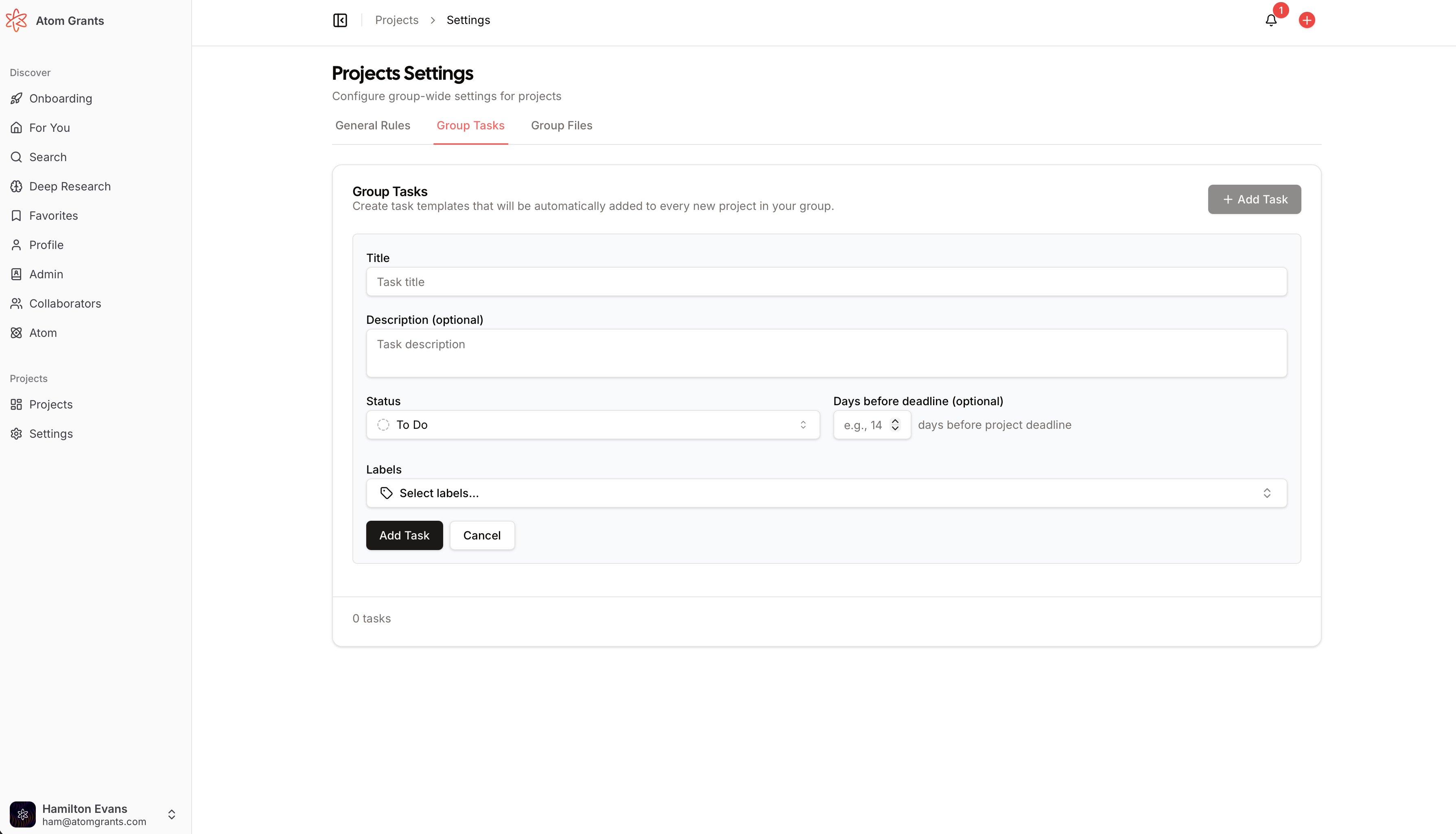
Admins can now create and manage institution- or group-level templates for both tasks and files, streamlining project setup across your organization. These templates are automatically copied into new projects, ensuring compliance and consistency with university or group requirements.
Reusable task templates: Define tasks (with subtasks, labels, status, and deadline offsets) at the group or university level; these are auto-included in every new project
File templates: Upload files or link URLs as group-level resources, optionally attached to specific tasks, and have them copied into new projects
Easy management: Create, edit, or delete templates from the Projects Settings area; see group activity logs and control template visibility
Flexible toggles: Enable or disable institution-level tasks per group as needed
These enhancements help administrators enforce best practices and reduce repetitive setup work for new projects.
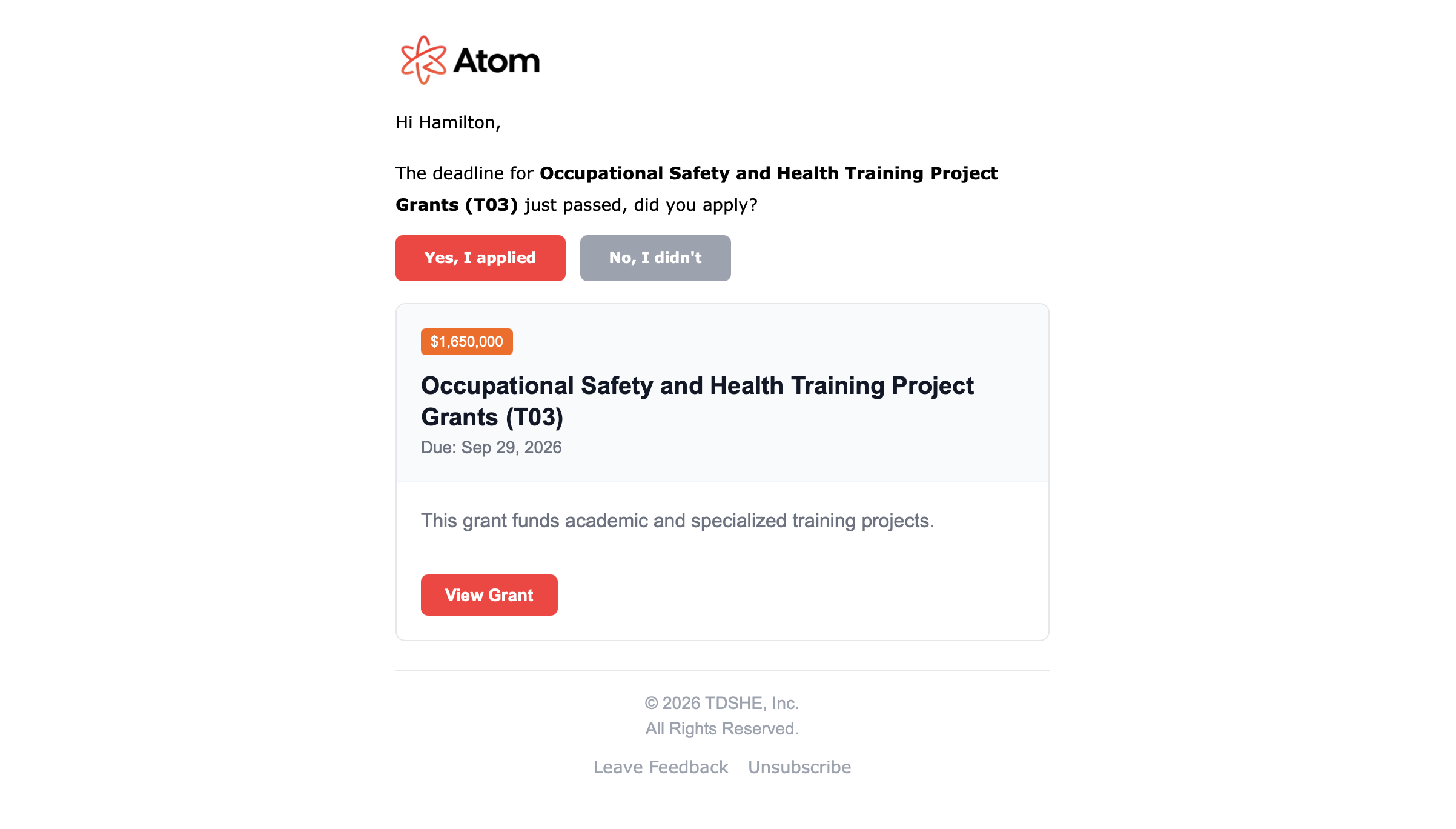
Never lose track of your favorite grants again! Atom now automatically checks in with users who favorited a grant after its deadline, asking if they applied. This helps you stay organized and gives the Atom team valuable feedback to improve recommendations.
Automated follow-up emails: Receive a quick check-in email two days after a favorited grant's deadline, with easy "Did you apply?" buttons.
One-click feedback: Record your application status with a single click, helping the platform learn your preferences.
No spam: Each grant only triggers one follow-up, and weekends are avoided for better timing.
Realtime Onboarding Sync AdminUpdate
Admin onboarding just got smoother and more collaborative. Now, when multiple admins are onboarding a team, all changes—including faculty list uploads, edits, and assignments—are updated in real time for everyone viewing the dashboard.
Live updates: See changes from other admins instantly, reducing confusion and duplicate work.
Collaborative onboarding: Multiple admins can now work together without needing to refresh or worry about missing updates.
Error prevention: Immediate feedback if another admin makes a change, helping teams avoid conflicting edits.
New filter toggle: Instantly include or exclude forecasted grants from your results using a simple sidebar toggle
Cleaner search experience: See only the grants that are open for applications, reducing clutter and confusion
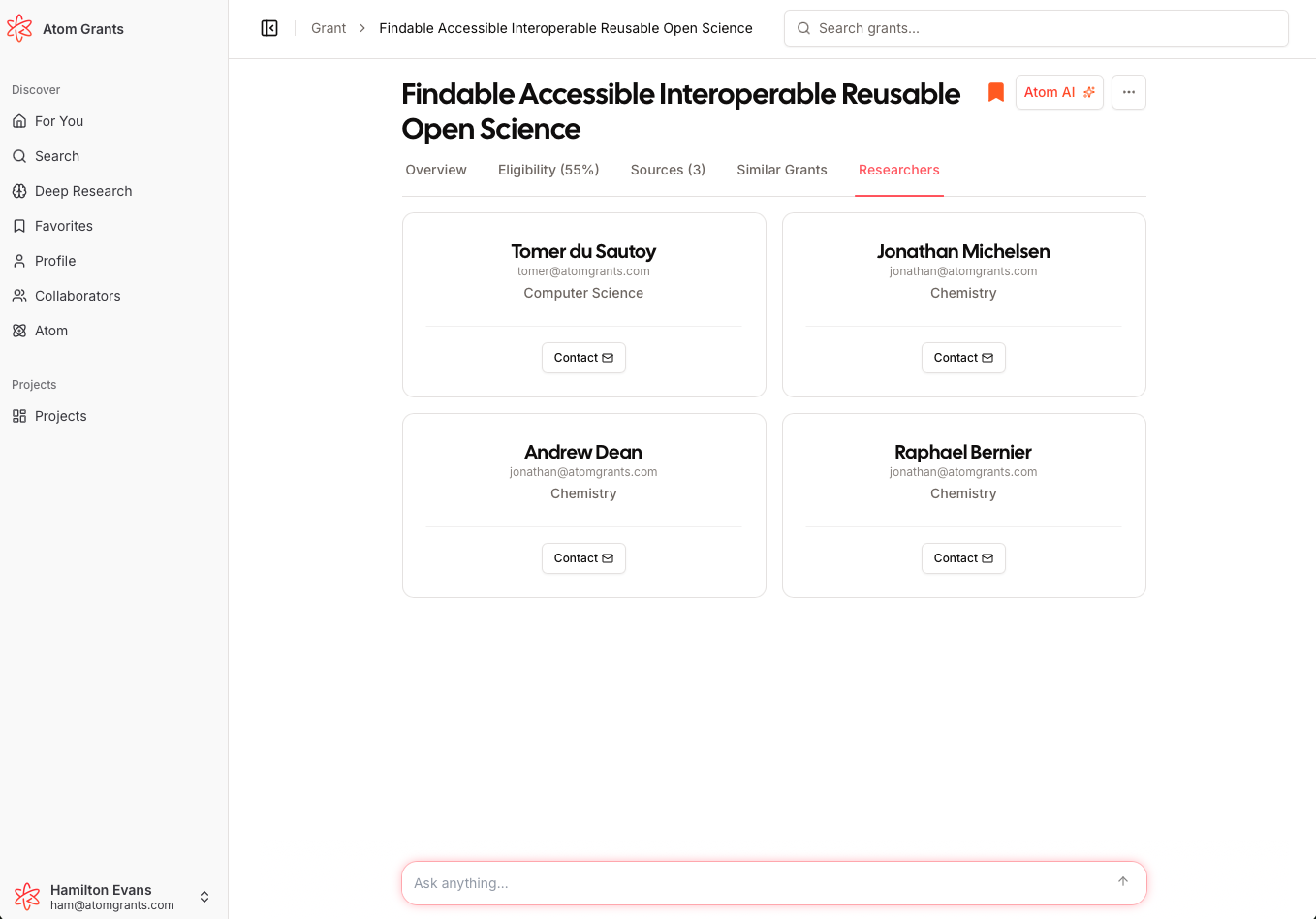
Researchers Viewing Other Researchers On Grant Page New
What was an Admin only feature is now available to researchers as well. It is now seamless to discover and connect with other researchers at your institution who may be a good fit for the grant you are looking at. When viewing a grant, you can now see a list of researchers whose research interests overlap with the grant topic, making collaboration and networking easier than ever.
Overlapping interests display: Instantly view a curated list of researchers whose interests align with the grant you’re viewing
Quickly Reach Out: Click contact, and a pre-drafted email populates to that researcher with the grant information so you can quickly reach out
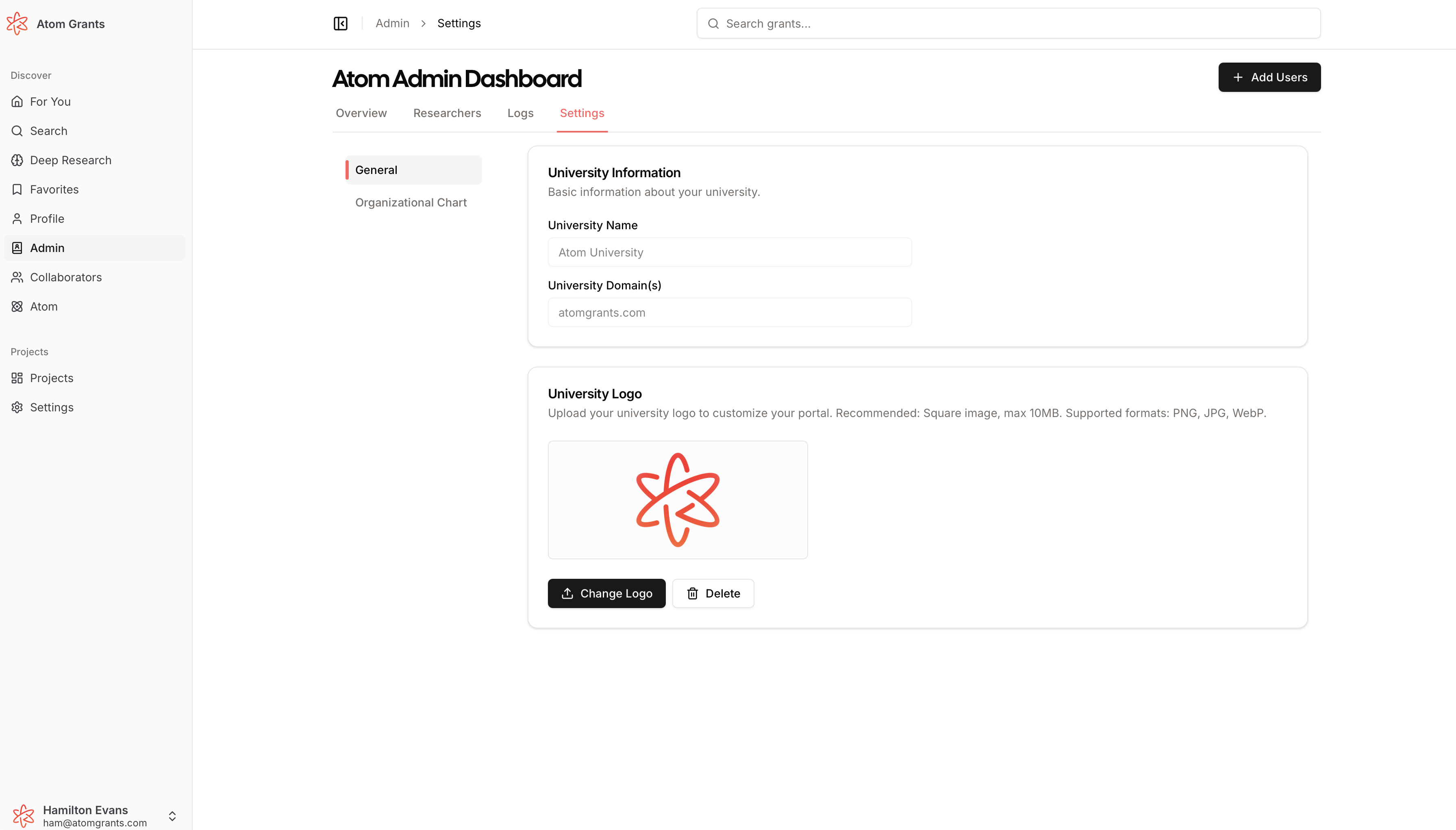
Group Logo Upload & Branding AdminNew
Admins can now upload a custom logo for their group, personalizing the Atom experience for all team members. Your organization's logo will appear in the sidebar and admin settings, replacing the default avatar.
Full logo management: Upload, preview, change, or remove your group logo from the admin settings page
Instant branding: The logo appears in the bottom left sidebar for all group members, enhancing team identity
This feature brings a more branded, professional feel to your team's workspace. Check it out on the Admin Settings page!
Launched a new public change log, allowing admins and researchers to stay up to date with the Atom Grants platform as it develops and new features are launched.