Introducing Atom Proposals
From the grant you found to the proposal you submit, now built into Atom.
AAndrew Dean·June 24, 2026
We're very excited to announce Atom Proposals, a new way to put together grant proposals.
You already use Atom to find the right funding. Now Atom helps you go after it. Proposals picks up exactly where Discovery leaves off: the moment you find a grant worth pursuing, Atom turns the full solicitation into a clear, shareable plan and helps your team get a stronger proposal out the door.
This post covers who it is for, why it matters, what it does, and how to get the most value out of it.
Who it is for
Proposals is built for the two groups who move a grant from idea to submission:
- Faculty and research teams. Whether a single PI writes a proposal or a team of writers builds it together, Proposals gives everyone one place to see what is required, who is doing what, and how the drafts are shaping up. You can add anyone from your institution, and invite external collaborators too, as a Principal Investigator or a collaborator.
- Research development and sponsored programs staff. When a researcher starts a proposal, your office is notified automatically. From the Proposals board, admins get visibility into every application in progress across a department, without chasing status updates.
Why it matters
For faculty, it removes the busywork around the writing. Solicitations are long, and the real requirements are buried across dozens of pages. Proposals reads the whole thing for you and pulls out exactly what you need to submit, what each document must contain, and when it is due. Instead of rereading a PDF every time you have a question, you and your collaborators work from one clear guide. When you are ready, AI reviews catch the gaps before anyone else sees the draft.
For research offices, it turns scattered activity into a visible pipeline. You see proposals as they start, track them as they move toward submission, and know which compliance documents each one needs. The result is less time spent reconstructing where things stand, and more time spent helping researchers win.
Importantly, Proposals is a companion to how you already work, not a replacement for it. You will still draft in Word, Google Docs, or your shared team space. Atom is most useful at the bookends: the first stretch, when you are outlining and figuring out what every section requires, and the final stretch, when you are organizing documents and reviewing drafts before submission.
What it does
Here is the full picture, in the order you will use it.
1. Start a proposal from any grant
From a grant page, click Add Proposal. You can do this when you know you are applying, or earlier, just to see all the requirements before you commit. Creating a proposal notifies your admins, so your office knows the work has begun.
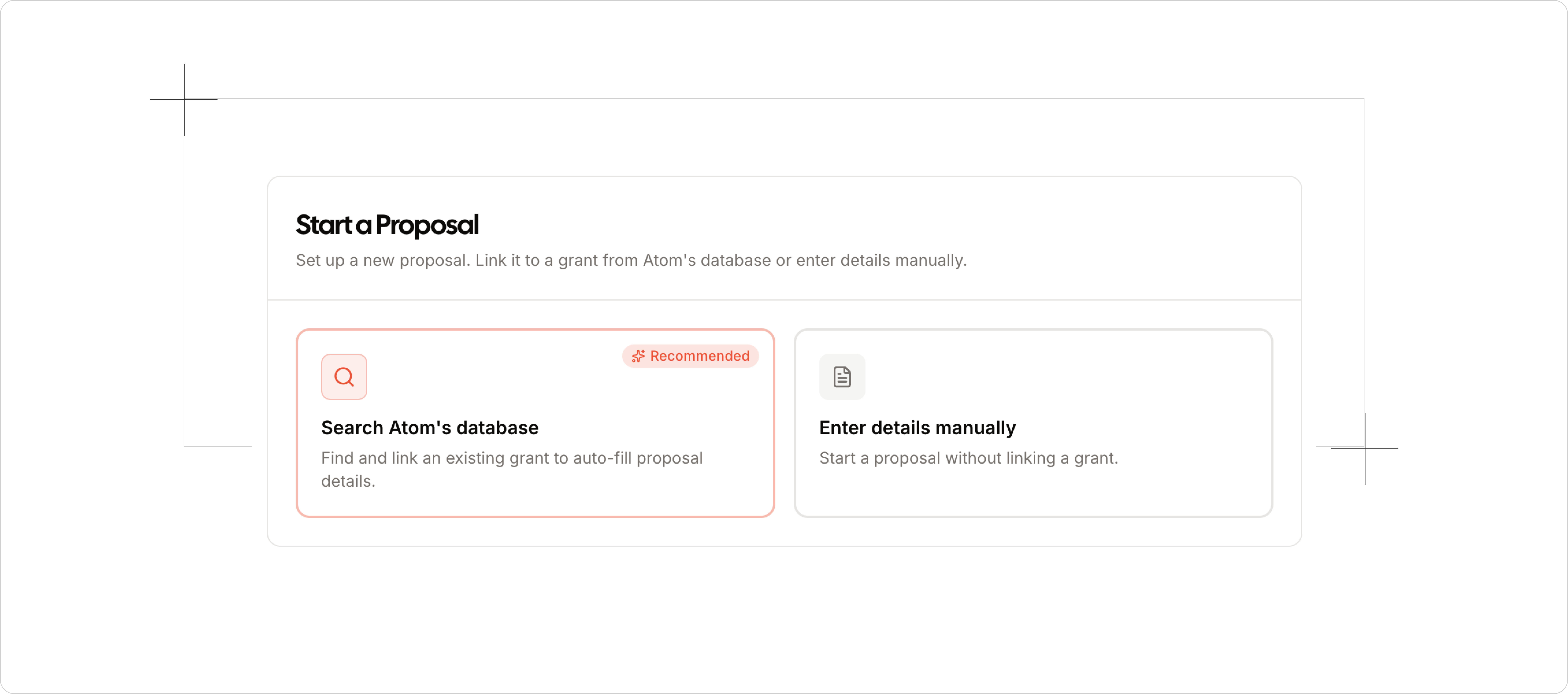
A short, three-step setup follows:
- Grant details are pulled straight from the listing (funder, solicitation link, award amount, and due dates), and you can add your own university deadlines.
- Your team is where you add collaborators from your institution or invite external partners, each as a PI or a collaborator.
- Compliance is a quick set of checkboxes (human subjects, vertebrate animals, clinical trials) that tell Atom which documents your guide needs to include.
2. View the Proposal Guide
When you add the proposal, Atom reads the entire solicitation, fetches its sources, and builds your guide. This gives you and your team a hub for the application:
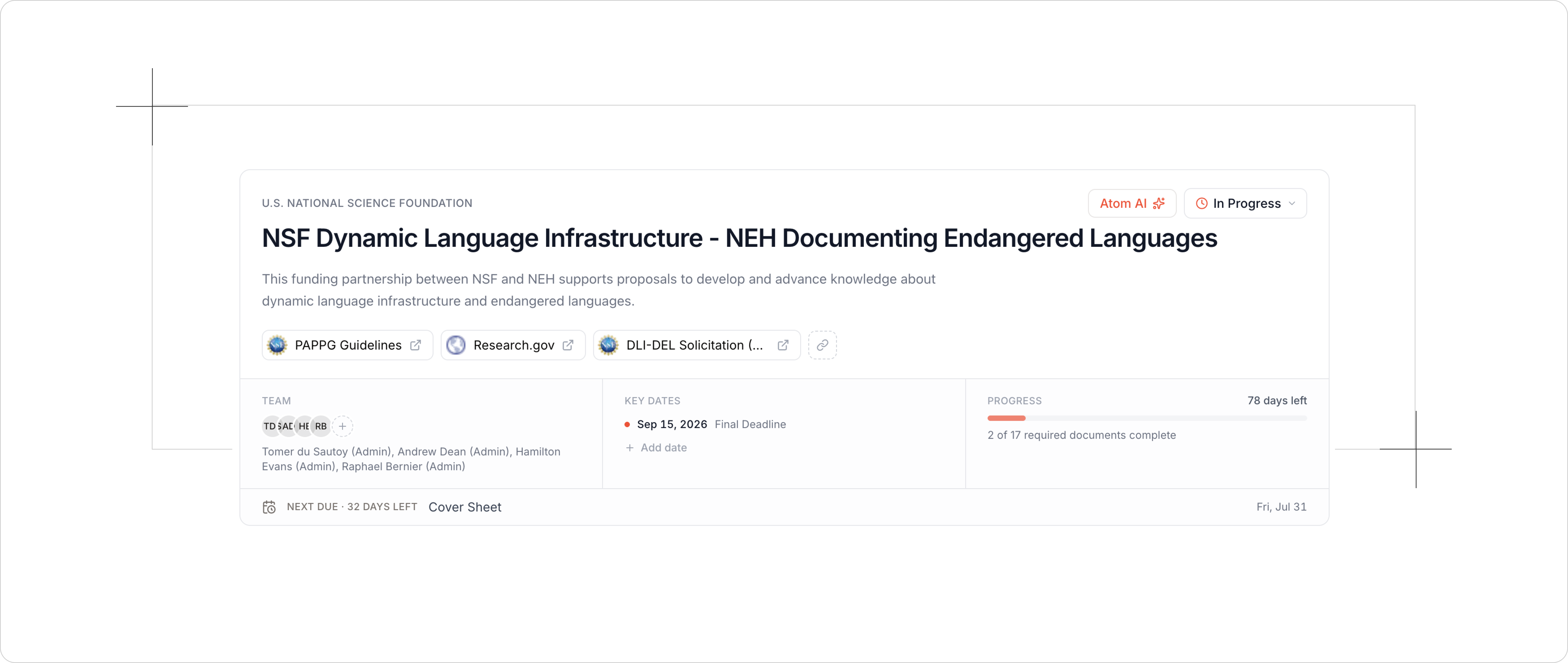
- Required documents, the heart of the guide. For each one, Atom summarizes the requirements, flags compliance notes, lists the content you need to include, and links directly to where it was found in the solicitation.
- The essentials at a glance: eligibility, key dates, budget, review criteria, formatting, and submission guidelines, each linked back to its source.
The guide is fully customizable. Edit any section, add your own, or remove what you do not need.
3. Assign work and bring your team in
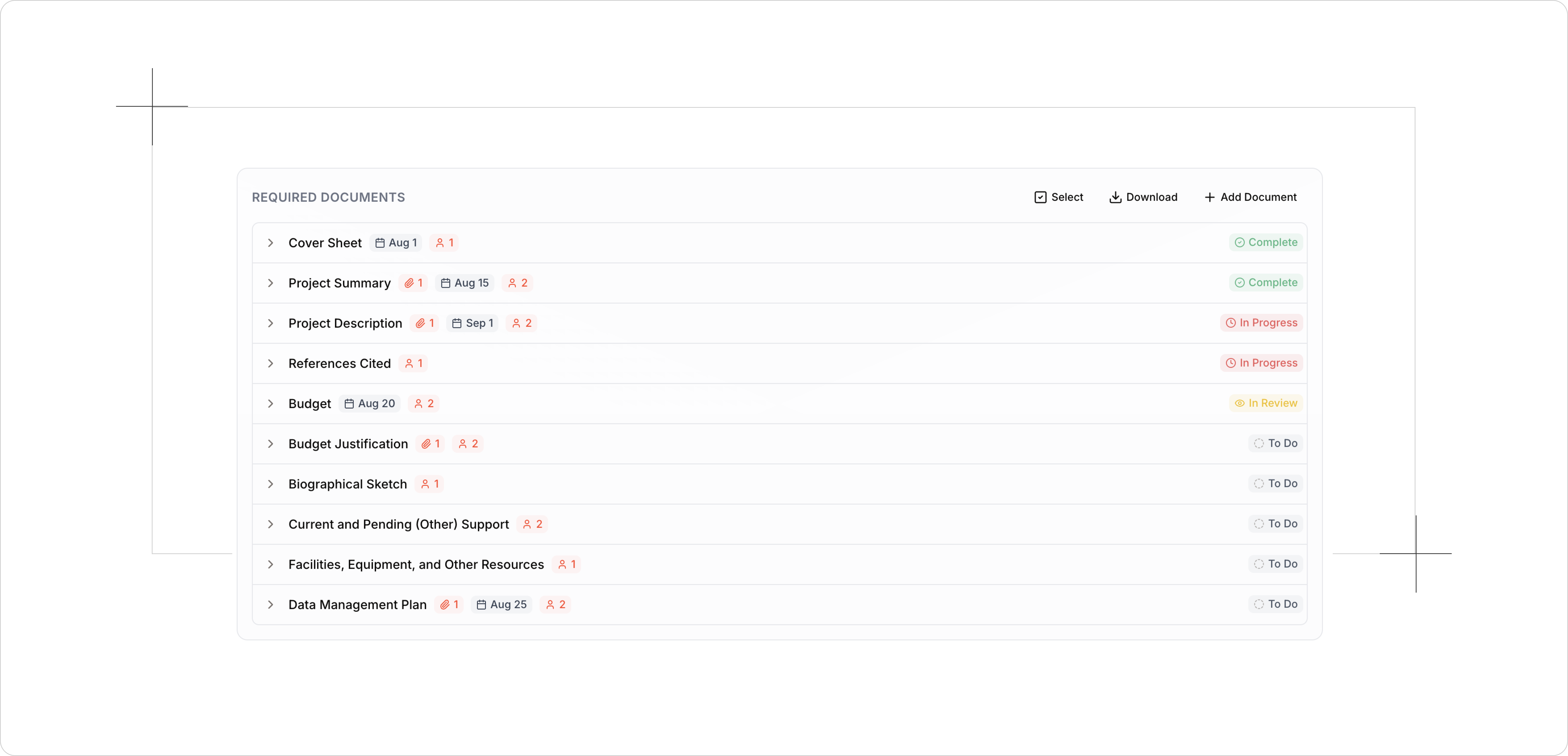
If you are a PI, assign each document to a team member, set deadlines, and attach templates (a university budget template, for example) so people have a starting point. Collaborators you invite see the finalized guide plus the tasks assigned to them, with due dates and requirements all in one view.
4. Upload drafts and run AI reviews
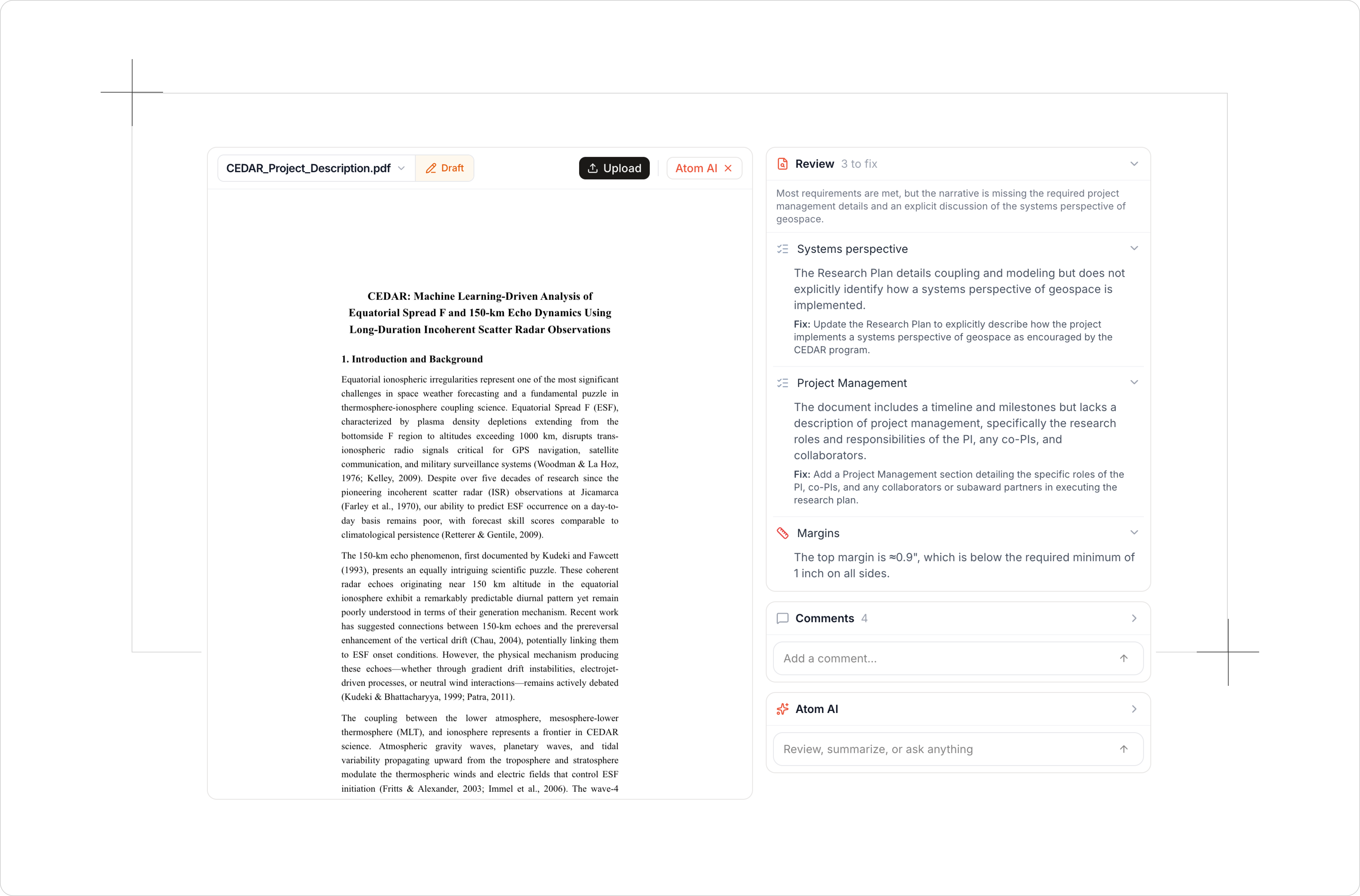
The document hub shows what has been collected, what has been reviewed, and what is still missing. Upload a file (or bulk upload a whole folder and let Atom attach each one to the right task), then use the review tools:
 Note: Your uploads stay secure and private. Atom never uses your documents to train AI models or publish them anywhere.
- Run a review to check a draft against the requirements and get targeted feedback with suggested fixes.
- Format check for details like font size and margins.
- Summary to quickly get the gist of a file a teammate uploaded.
Reviews are shared with the whole team, so no one reruns the same check. You can also highlight text, leave a comment, and tag a collaborator to revise it, keeping the back-and-forth on Atom.
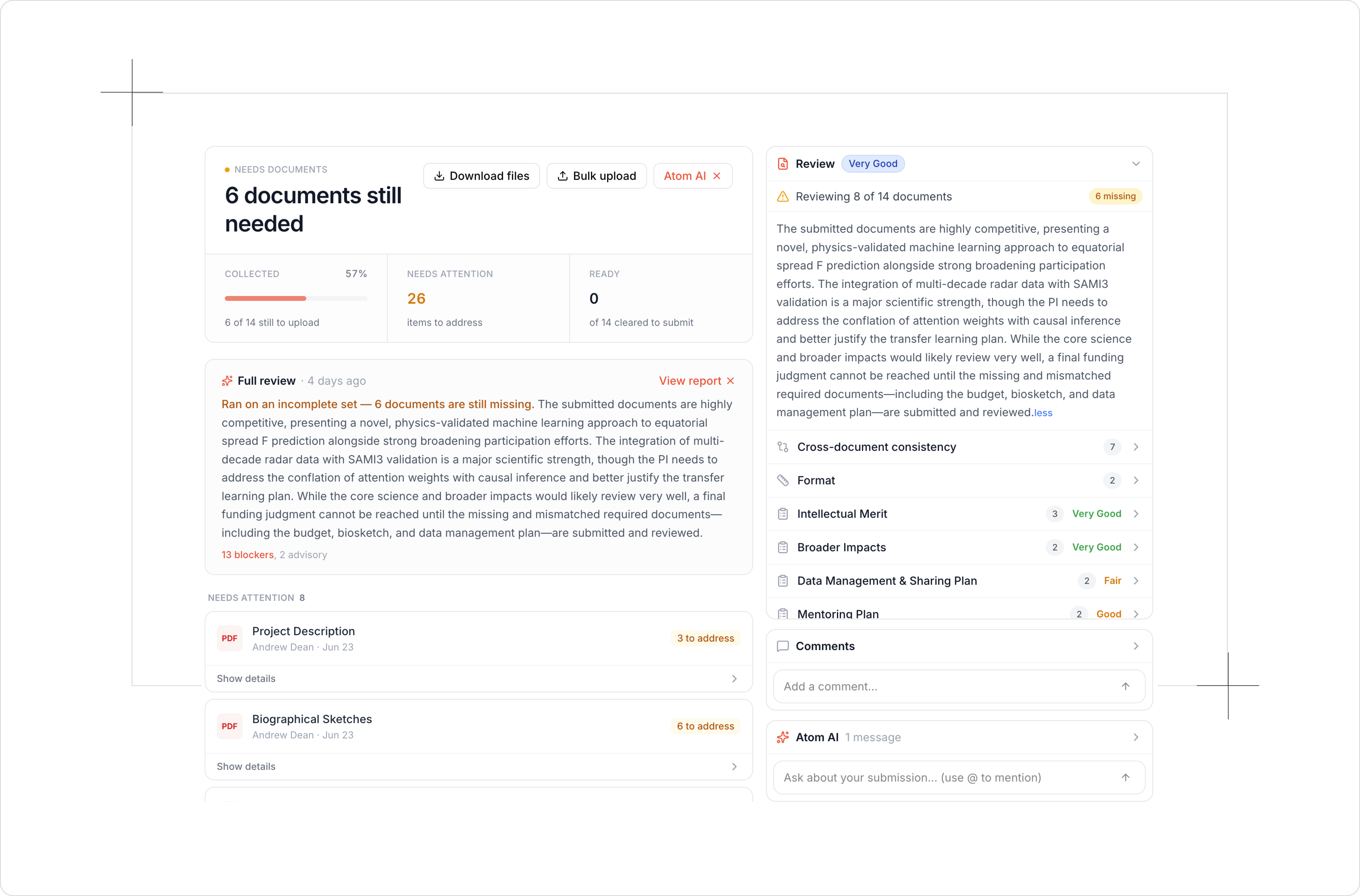
5. Run a full proposal review
Once a substantial draft is in, run a full review. It is built to mimic a red-team read: it processes every file, reviews anything that has not been reviewed yet, then cross-checks that everything is aligned (for instance, that your budget narrative matches your budget spreadsheet). You get an overall score against the grant's review criteria, plus section-by-section strengths, weaknesses with suggested fixes, consistency checks, and formatting flags. Re-upload documents and Atom AI prompts you to rerun, so you can see exactly how much you improved.
6. Use Atom AI throughout
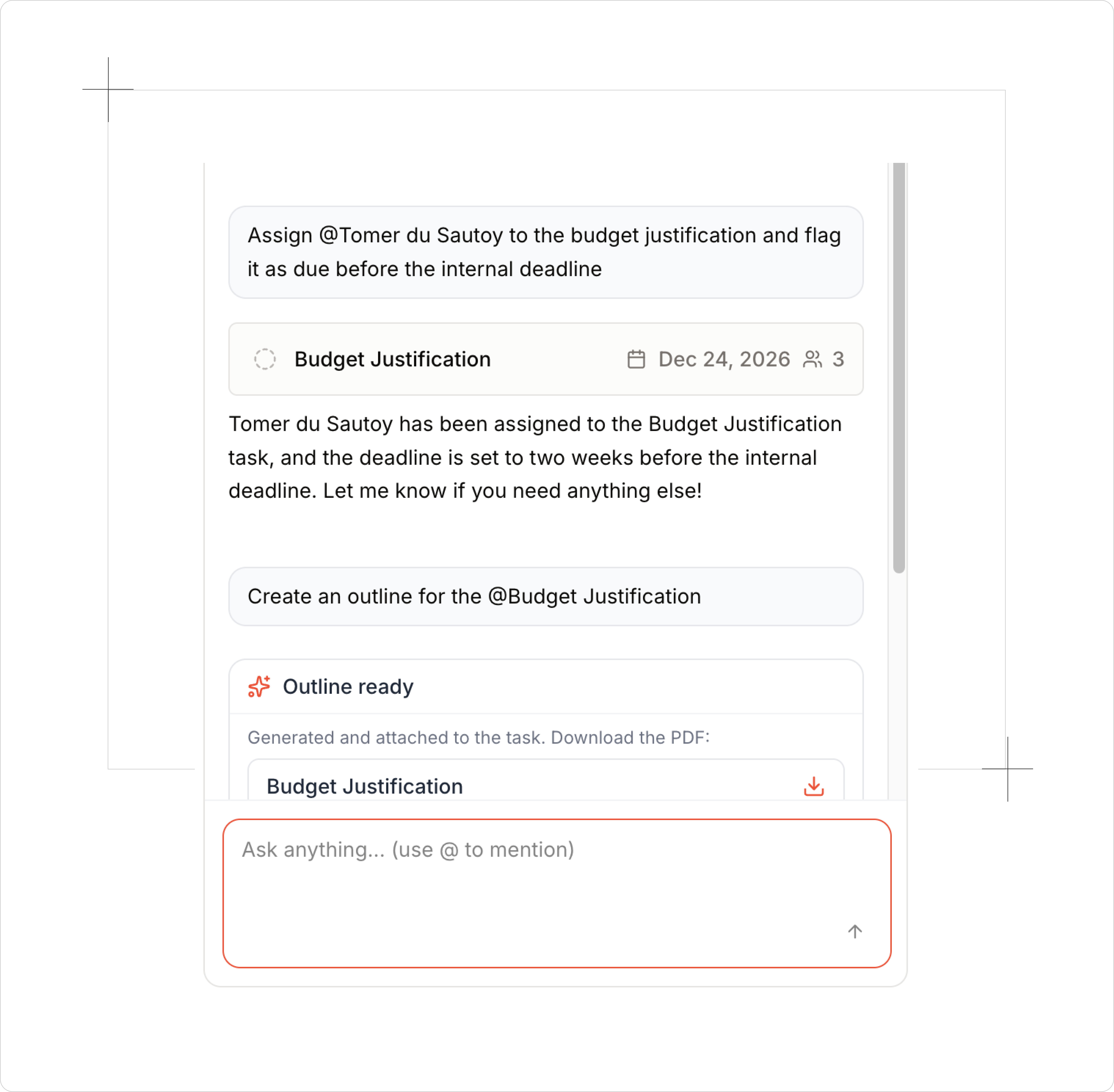
Atom AI sits inside every proposal with the full context of the solicitation and your assignments. Ask it about requirements, dates, or eligibility. Assign a teammate to a task right from the chat. Ask for a PDF of just the budget section to share. Or get planning help and a starting template for a document you have not begun. It is there to assist, not to write the proposal for you.
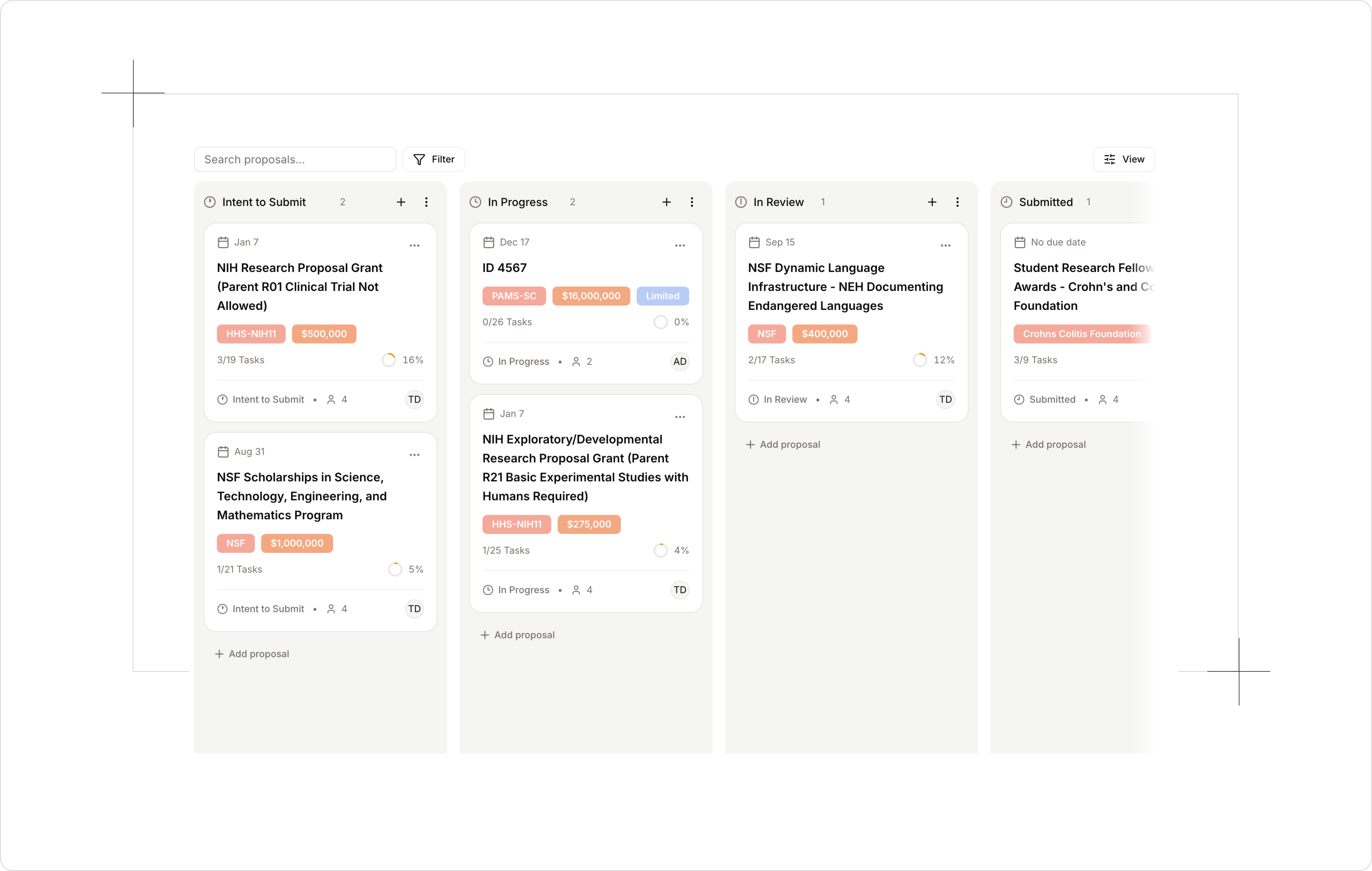
7. Admins can track all proposals at their institution from the Proposals board
Researchers see their proposals in the side navigation. Admins get the proposals board: filter by department, assignee, or funder, organize proposals into columns you can rename to match your process, and move each one along as it progresses.
How to get the most out of it
A few habits that help teams get value quickly:
- Create the proposal early, even before you commit. Generating the guide up front gives you a clear, complete picture of the requirements before you write a word.
- Assign documents, deadlines, and templates from the start so everyone knows their part and has a starting point.
- Outline first, review last. Use Atom for the planning at the beginning and the document review at the end, and keep drafting where your team already does.
- Treat the AI reviews as a pre-review. Have your writing team tighten drafts in Atom before they reach your internal read-through, so reviewers see a stronger proposal.
- Run a full review before each milestone to catch cross-document issues a single-document check would miss.
Try it on your next proposal
Proposals brings the whole arc of an application into one place, from the first read of a solicitation to the final review before submission. The planning is clearer, the requirements are never a mystery, and your team stays aligned without the usual chasing. Watch the walkthrough above to see it end to end, then try it on your next opportunity.
A
Andrew Dean
Founding Engineer, Atom Grants
More Blog Posts
The 10 Best Grant Databases for 2026
For universities, researchers, and nonprofits
Read post
Welcome to the team!
Meet our VP of Academics and Senior Software Engineer
Read post
SRAI Annual Meeting 2026
Leading Research Development in the Age of AI Panel
Read post
Introducing Admin Analytics
The numbers we bring to your check-ins, now in Atom whenever you need them.
Read post
NIH AI Policy: New Rules of AI in Proposal Development
Inside the 2026 NIH policies reshaping how researchers write grants and proposals.
Read post
Budgets, in Atom
A workspace for the whole budget: the spreadsheet, the justification Atom AI can write for you, and the funder rules that grade both.
Read post
Atom AI Reviewer
A funder-grade read of your whole proposal, before anyone else sees the draft.
Read post