Discovery
Search and filters
Search lets you query Atom's full database of opportunities, beyond your personalized feed. It uses semantic search, so you can describe what you are looking for in plain language and get relevant results even when the wording does not match exactly.
Running a search
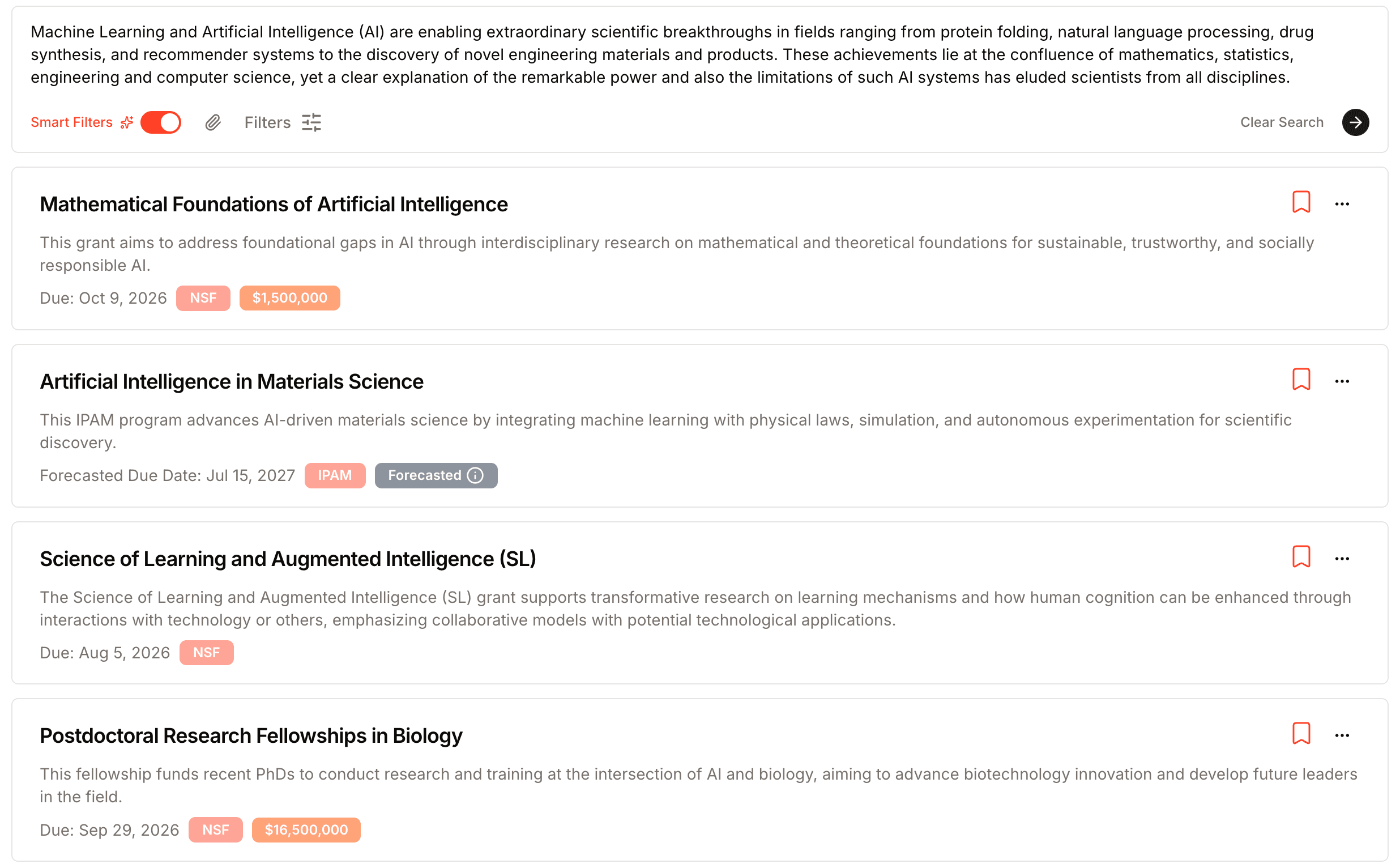
Select Search from the sidebar, then describe what you need. You can search with:
- A keyword like
CRISPRorrural health. - A full sentence describing your project.
- An entire abstract pasted in.
- A file you upload or drag in: a PDF, Word, Excel, or PowerPoint document, or an image.
- A link to a paper or project description, which Atom reads in for you.
You can combine these, for example a pasted abstract plus a link, into a single search.
Narrowing your results
Two tools help you focus:
- Smart Filters turn your query into structured filters automatically. Toggle it on and Atom infers details like funder type or career stage from what you typed.
- Filters let you set those constraints yourself: funder type, funding amount, deadline, career stage, and more. They are the same filters as on your dashboard, covered in filtering your feed.
Keyword search also includes internal-only opportunities, the ones an institution offers only to its own researchers. That way a grant you search for by name always turns up, even if it belongs to another institution and is not open to you. These results carry an Internal label naming the institution they are limited to. To leave out other institutions' internal opportunities, turn on Hide Internal Grants in the search filters. Your own institution's internal opportunities always show.
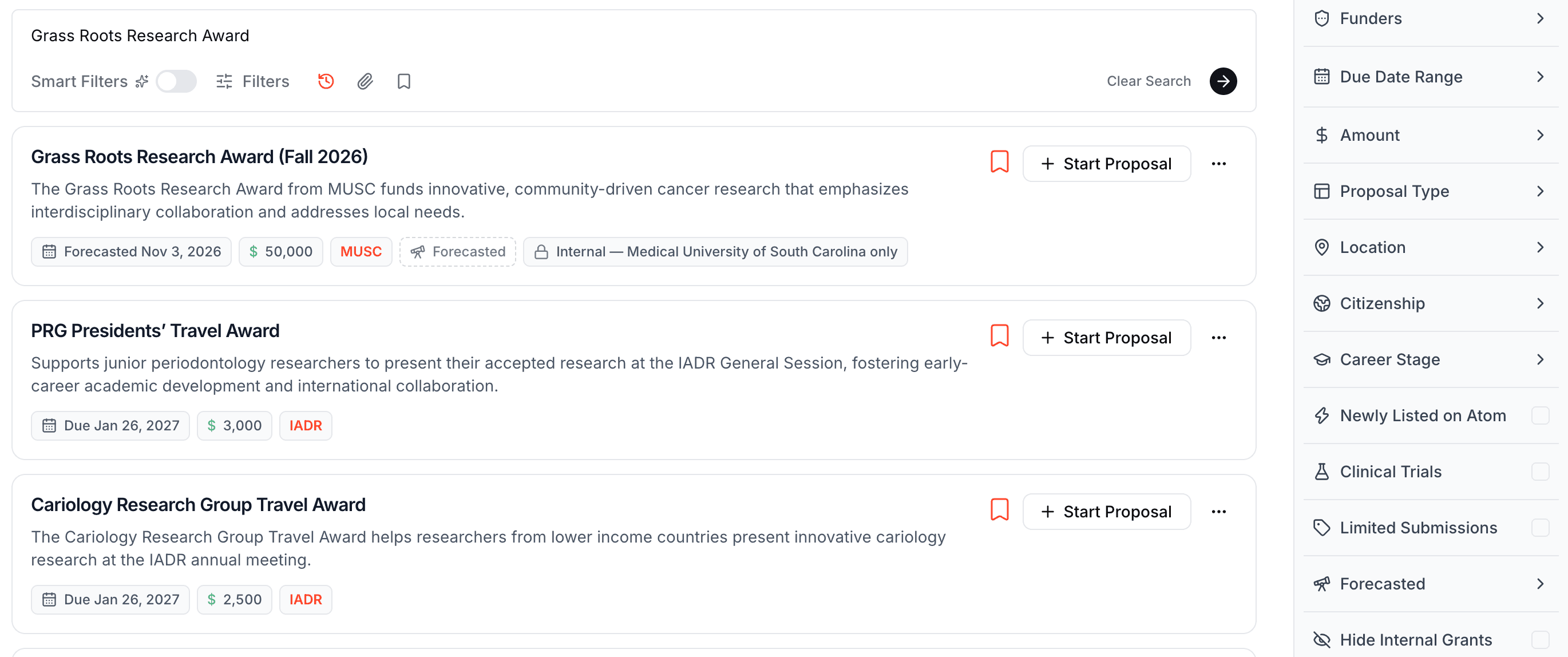
Start broad, then add filters one at a time. A single keyword with no filters is the fastest way to see the range of what is available.
From search to action
Every result is a grant you can act on. Open any result to read the full summary, eligibility assessment, and key dates. Save promising grants to a list with the star icon, or start a proposal when you are ready to apply.
Next, learn how to save and share grants or how eligibility checks work.