Discovery
Dashboard
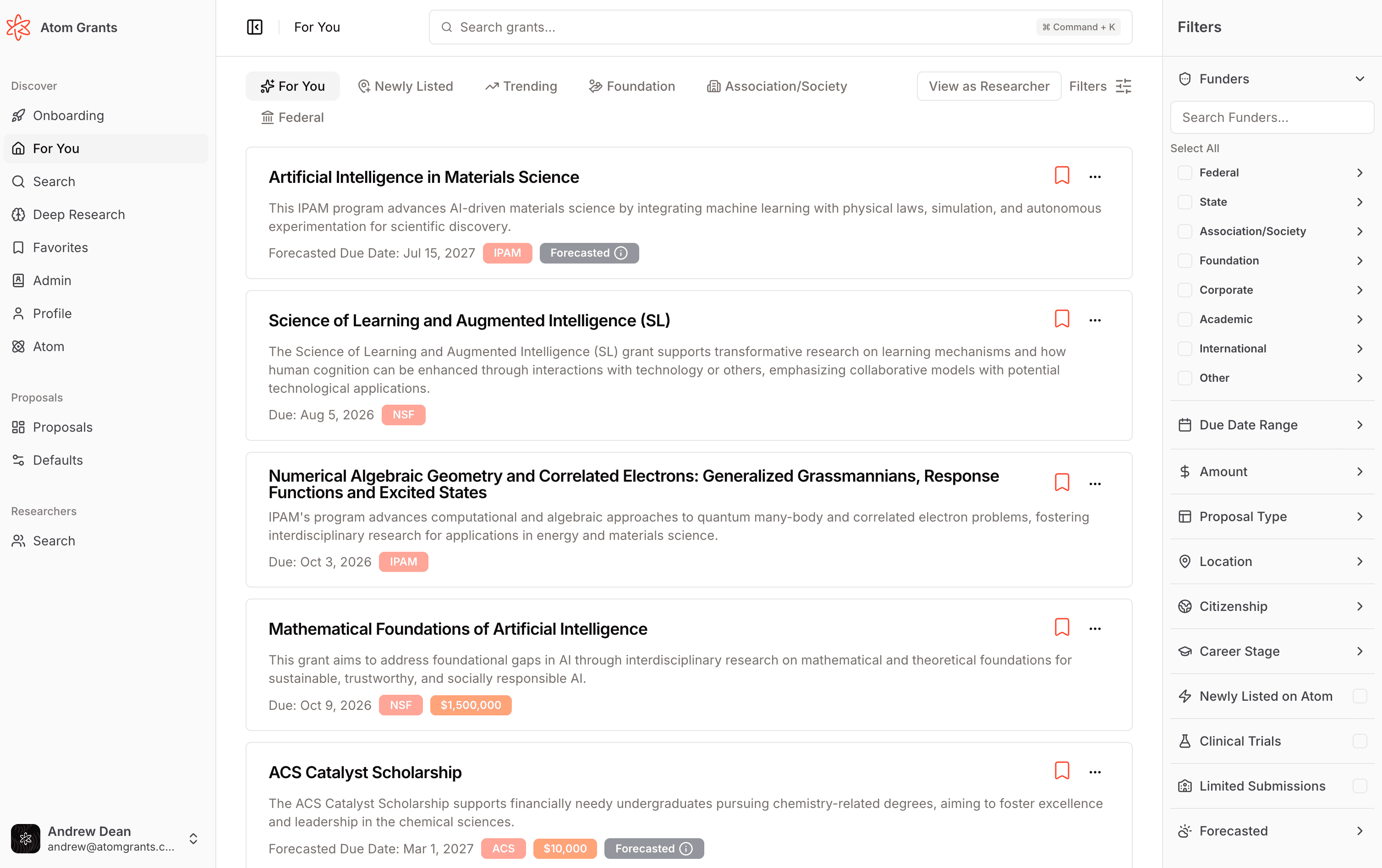
Your Dashboard is the home for grant discovery in Atom. It shows a continuously updated feed of funding opportunities matched to your research interests, so the most relevant grants rise to the top.
Opening your dashboard
After you sign in, select Dashboard from the sidebar. Atom ranks every open opportunity against your profile and shows the strongest matches first.
Choosing a project
Your projects sit along the top of the dashboard. Select one and the feed beneath switches to its matches, ranked against that project's research interests and narrowed by its grant filters. If you only have one project, the feed simply follows it.
How matching works
Atom compares your research interests to the full text of each opportunity using semantic search, not just keyword overlap. A grant about "machine learning for drug discovery" can match a profile about "computational methods in pharmacology" even when the exact words differ.
The more detail you give Atom about your work, the sharper your matches. You can refine the active project's research interests any time on its project page.
Prefer to see what is drawing attention right now? Switch to Trending to rank the feed by the opportunities other researchers are exploring most over the past month, independent of your own interests.
Filtering your feed
Use the filters beside your feed to narrow results:
| Filter | What it does |
|---|---|
| Funder type | Limit by funder, from federal and state agencies to foundations, corporate, academic, and association funders. |
| Funding amount | Set a minimum or maximum award size. |
| Deadline | Focus on opportunities closing within a window. |
| Career stage | Match opportunities to your career stage, from graduate student to senior faculty. |
Beyond these, you can filter by location, citizenship, and proposal type, and narrow to flags like clinical trial, limited submission, or forecasted versus active opportunities.
Filters set here apply to the current view. To keep a set of filters applied for as long as a project is active, including in your grant emails, save them to the project instead. See grant filters.
Filtering by a tight deadline can hide opportunities that are still worth tracking. Widen the deadline filter if your feed looks sparse.
Saving grants
When something looks promising, save it. Select the star on any grant to add it to a list. Saved grants live in Favorites, where you can organize them into lists and share them with your team.