Proposals
Documents and tasks
The document hub is where the writing comes together. It shows what has been collected, what has been reviewed, and what is still missing.
Your Documents
If any required documents are assigned to you, directly or as part of a group task like Senior/Key Personnel Documents, Atom pins a Your Documents section at the top of the hub so your own work leads the list. If nothing is assigned to you, the hub shows the standard groups by status.
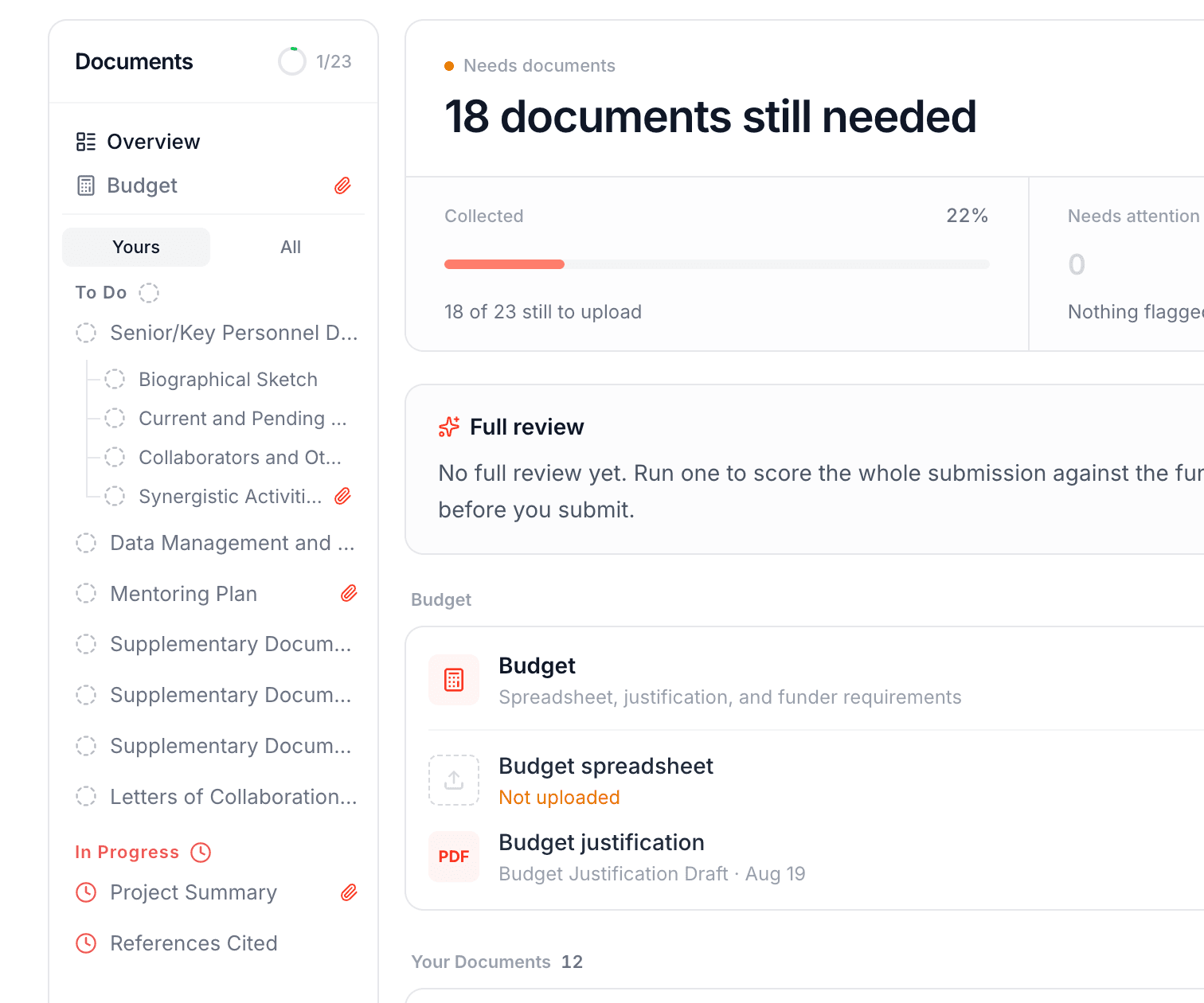
Assign work
If you are a PI, assign each document to a team member, set deadlines, and attach templates, such as a university budget template, so people have a starting point. Some documents and templates arrive already in place, added by your administrators through organization rules. Collaborators see the finalized guide plus the tasks assigned to them, with due dates and requirements in one view.
Upload drafts
Upload a file to any task, or bulk upload a whole folder and let Atom read each file and sort it into the right required document, which you can adjust before it attaches. Atom accepts common document, spreadsheet, and slide formats, including PDF, Word, Excel, PowerPoint, LaTeX, and Pages or Keynote. Mark each upload as a template, outline, draft, or final, and setting a file as final marks its task complete.
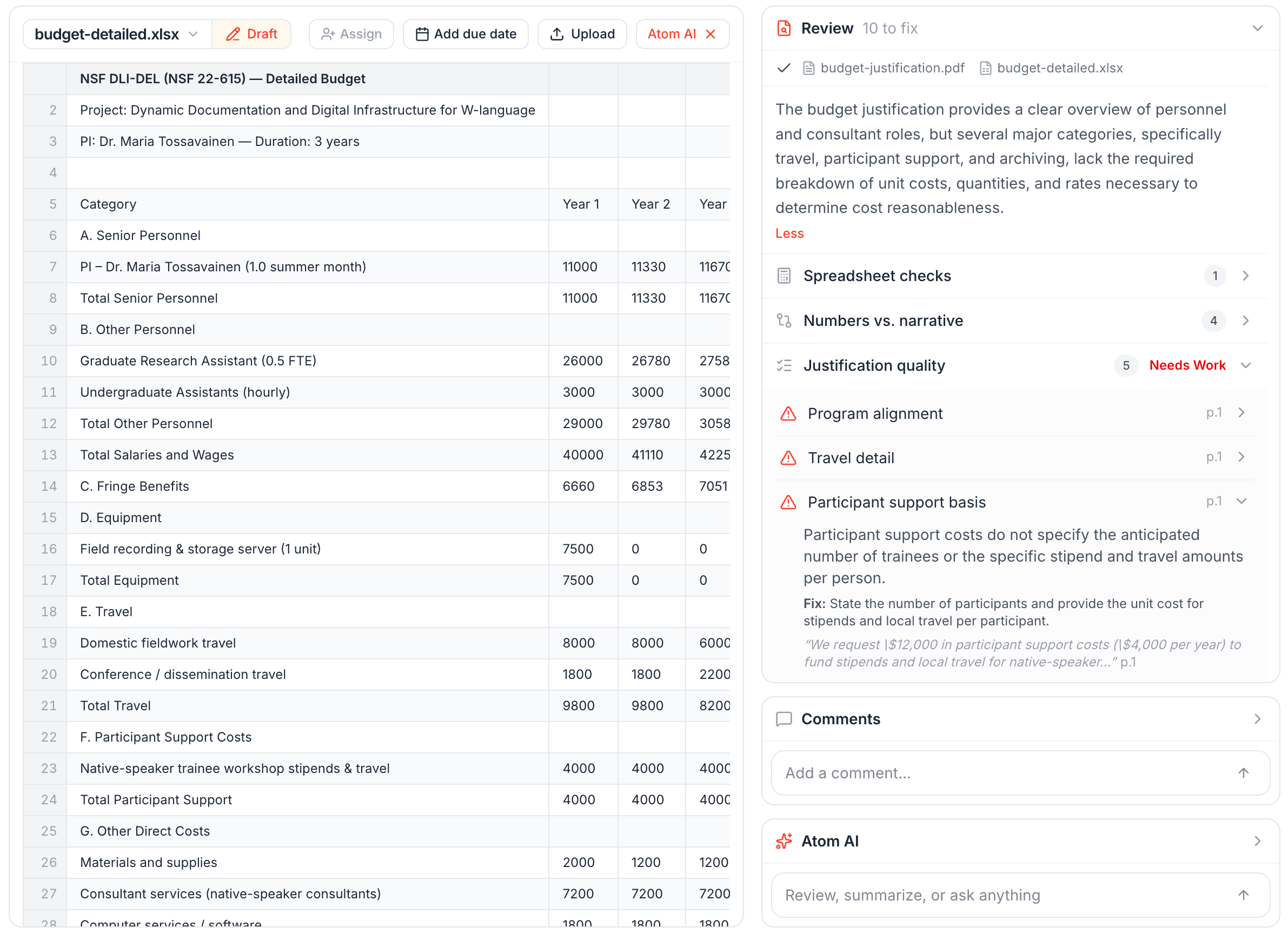
Spreadsheet attachments in .csv, .tsv, .xlsx, and .xls formats preview as interactive spreadsheets, including multi-sheet workbooks, so you can check a file without downloading it.
Run AI reviews
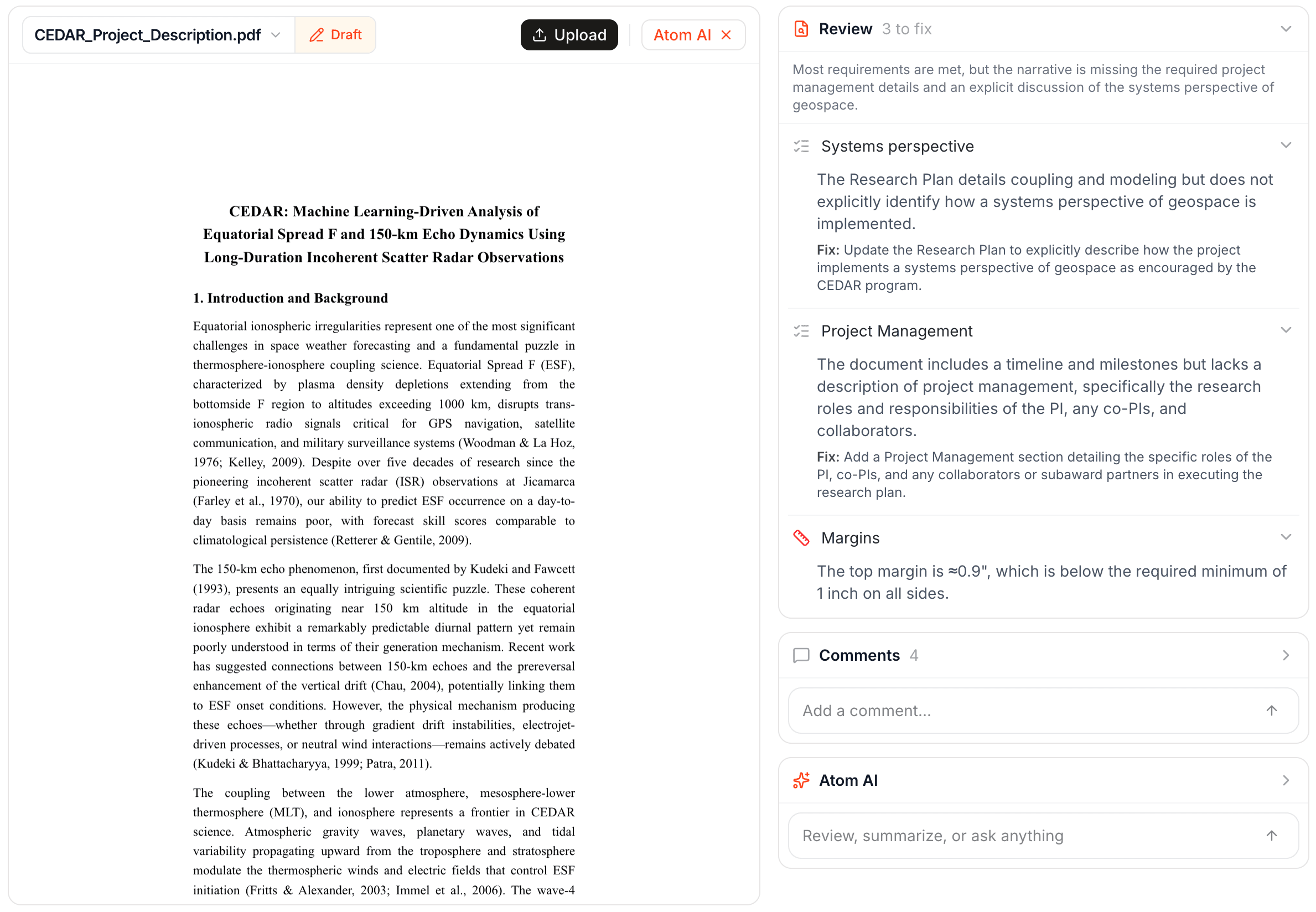
Once a draft is in, use the review tools:
- Review to check a draft against the requirements and get targeted feedback with suggested fixes.
- Format check for details like font size and margins.
- Summarize to quickly get the gist of a file a teammate uploaded.
- Budget review to reconcile your budget spreadsheet against your justification narrative, flagging discrepancies and giving a quality verdict on allowability, effort and salary sanity, and compliance with funder rules. On a budget document, the same Review button runs this in place of the standard review.
Reviews are shared with the whole team, so no one reruns the same check. You can also highlight text, leave a comment, and tag a collaborator to revise it, keeping the back-and-forth on Atom.
Your uploads stay secure and private. Atom never uses your documents to train AI models or publish them anywhere.
Run a full proposal review
Once a substantial draft is in, run a full review. It mimics a red-team read: it processes every file, reviews anything not yet reviewed, then cross-checks that everything is aligned, for instance that your budget narrative matches your budget spreadsheet. You get an overall score against the grant's review criteria, plus section-by-section strengths, weaknesses with suggested fixes, consistency checks, and formatting flags. The score uses the funder's own scale, so an NIH review shows a rating like 1 to 9 and an NSF review shows a label like Excellent or Very Good. Re-upload documents and Atom prompts you to rerun, so you can see how much you improved.
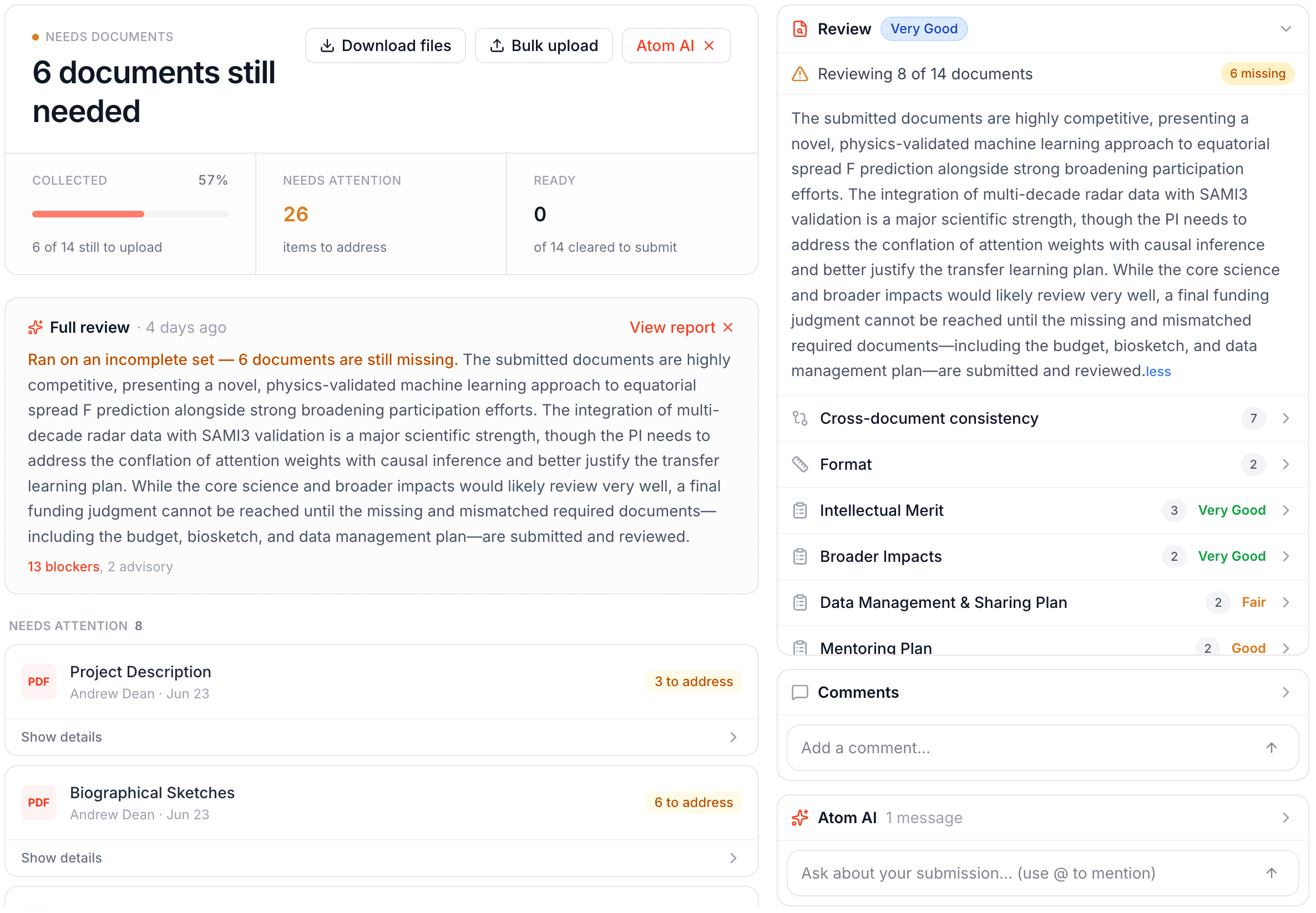
Treat the AI reviews as a pre-review. Have your team tighten drafts in Atom before they reach your internal read-through, so reviewers see a stronger proposal.
When the package is ready, see collaboration and export.