Discovery
Saving and sharing grants
As you discover opportunities, save the ones worth tracking. Favorites keep your shortlisted grants in one place and make them easy to share with collaborators.
Saving a grant
Select the star icon on any grant, whether in your dashboard, in search results, or on a grant page. The grant is added to your favorites right away.
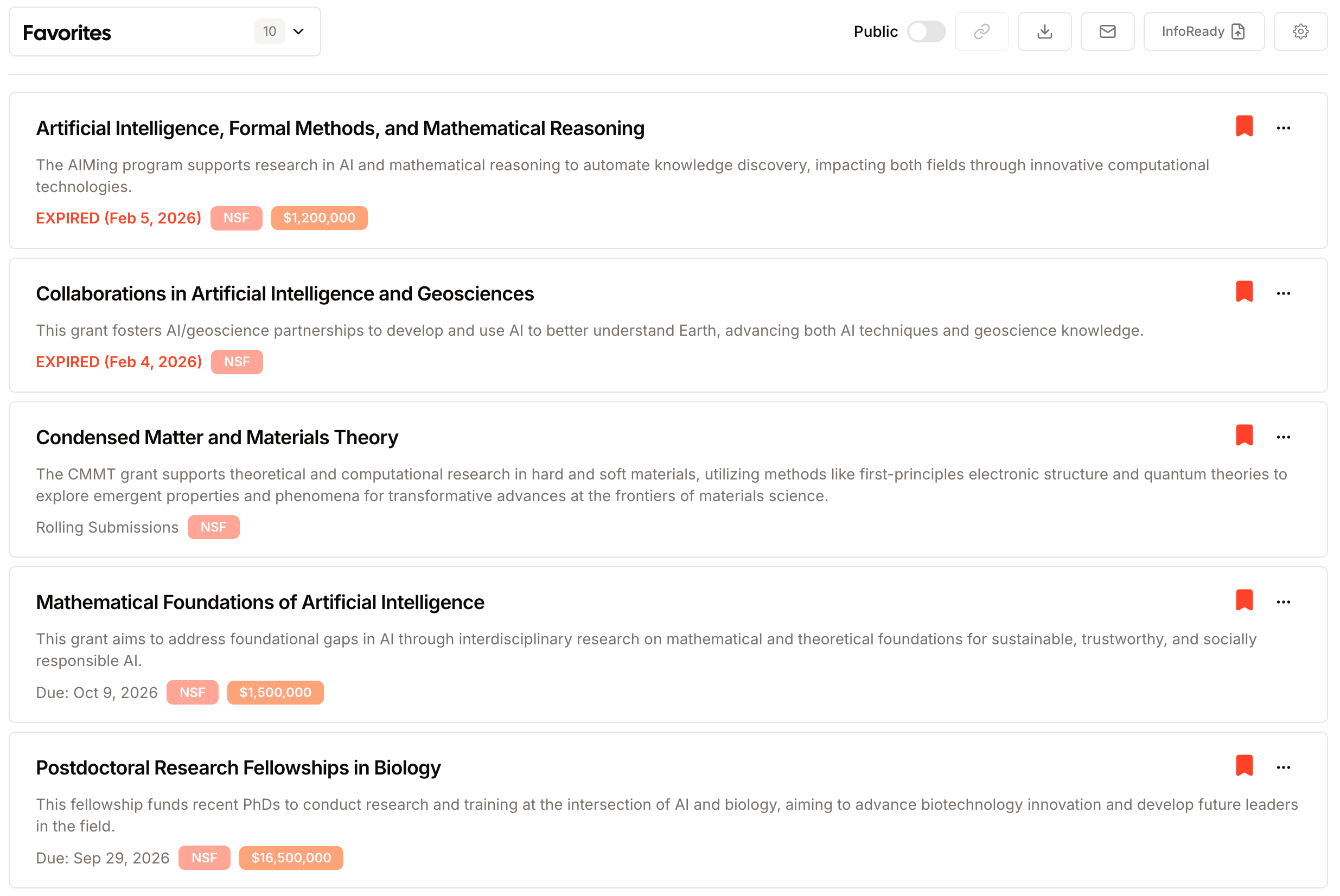
Project lists
Every project comes with a saved-grants list named after it, owned by the team. Joining the project grants access to the list and leaving removes it, so there is nothing to share by hand.
Organizing with lists
Group saved grants into lists so related opportunities stay together. You might keep a list per program, per deadline cycle, or per collaborator. Open Favorites in the sidebar to see all your lists and move grants between them. A grant can sit in more than one list at once, so the same opportunity can live under different programs or cycles.
Sharing with your team
Any list can be shared. Share a list with teammates so everyone is looking at the same set of opportunities, or publish a public link that people can open without an Atom account.
A public link is the fastest way to loop in reviewers, mentors, or partners who don't use Atom. They see the grants and key details in a clean, read-only view, no sign-in required.
Atom keeps an eye on your saved grants: it emails you as a favorited grant's deadline approaches, and sends a digest when the details of a grant you saved change, so nothing slips past you.
When a saved grant turns into a real plan to apply, you can start a proposal directly from it.