For administrators
Analytics
The admin dashboard shows how your institution is using Atom and where funding activity is happening.
Usage and adoption
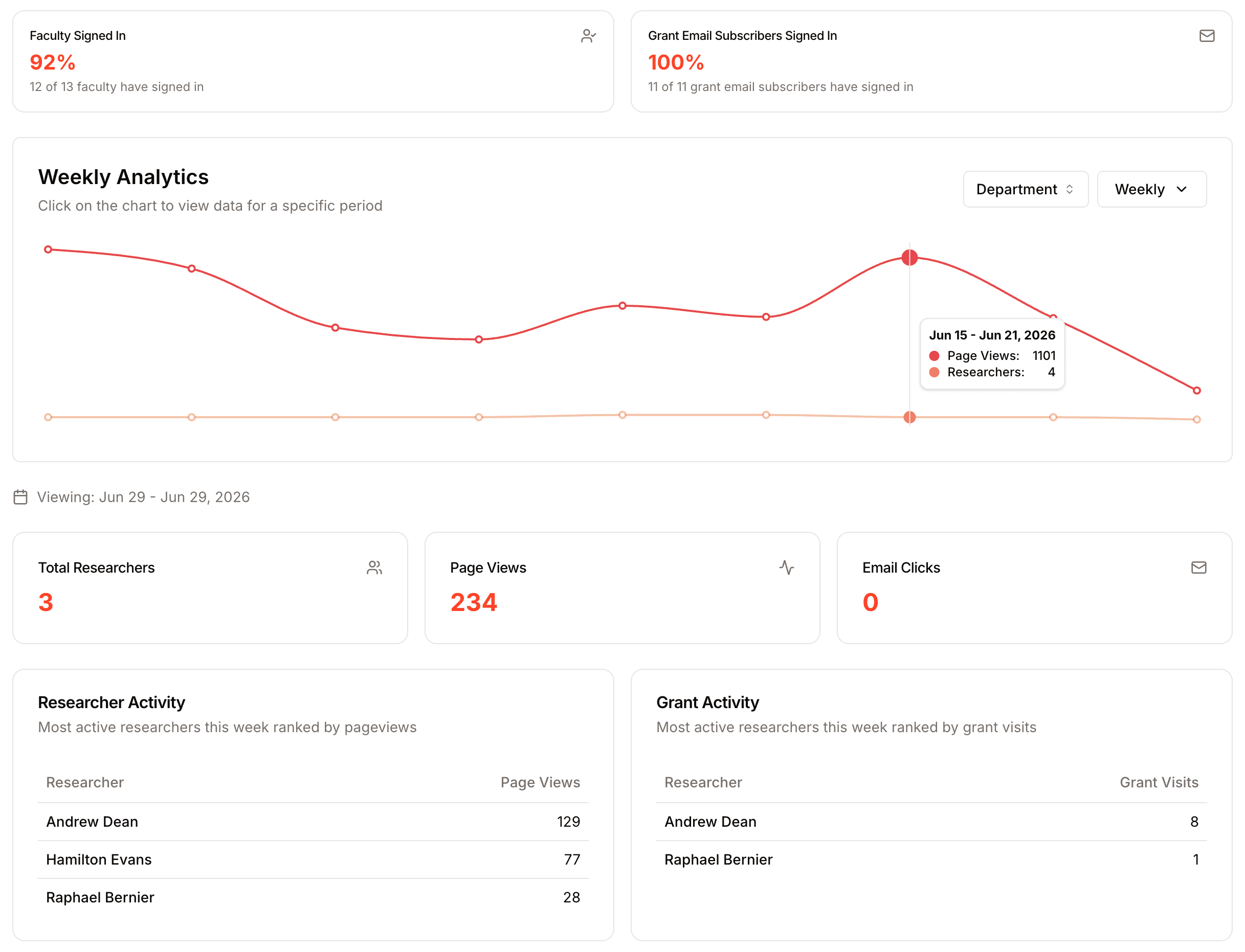
See how many of your researchers have signed in and subscribed to grant emails, and how page views, active users, and grant-email clicks trend over time by day, week, or month, so you can measure adoption across your organization.
Leaderboard
Two leaderboards rank the most active researchers: one by page activity and one by grant visits. Choose a period, daily, weekly, or monthly, and filter by department to focus on a specific unit.
Activity logs
Logs give you a detailed view of activity, including grant visits, searches, and saved grants, so you can understand what your researchers are working on.
Your proposal pipeline
Analytics shows you how your institution engages with Atom; the proposals board shows you what that engagement is turning into. The board gives your office a live view of every application in progress: filter by department, assignee, funder, or tag, organize proposals into columns that match your process, and let Atom flag what is new, due soon, urgent, or overdue. Together, the two give you both sides of the picture, adoption and the funding pipeline it feeds.
Analytics are designed for administrators and leadership. They surface trends and adoption across the organization, not individual performance reviews.