Proposals
Collaboration and export
Atom keeps your whole team aligned as a proposal comes together, and gives administrators a live view of every application in progress.
Atom AI throughout
Atom AI sits inside every proposal with the full context of the solicitation and your assignments. Ask it about requirements, dates, or eligibility. Assign a teammate to a task right from the chat. Ask for a PDF of just the budget section to share, or pull up your latest budget review feedback. Or get planning help and a starting template for a document you have not begun.
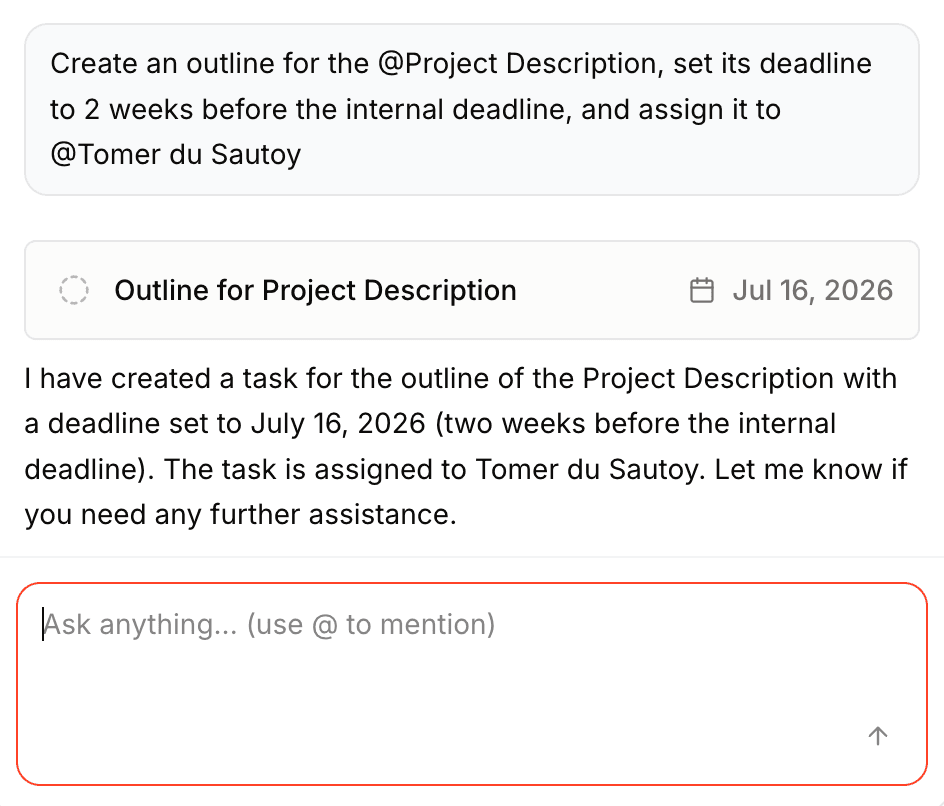
Atom AI clears the busywork around the writing: planning at the start, reviews at the end, and answers along the way. The science stays yours, and drafting stays where your team already works.
Working as a team
Add anyone from your institution, and invite external collaborators too, each as a Principal Investigator or a collaborator. Inviting an external partner takes only their email; Atom sets up their access automatically, so they do not need an existing account. Activity and mentions keep everyone in the loop: when you tag a teammate on a comment or assign them a task, they are notified, immediately or as an hourly or daily digest, depending on your notification settings.
Exporting your work
When you need to share or submit, export what you need. Generate a PDF of the full guide, ask Atom AI for a PDF of any single section, and download all of a proposal's files together as a single ZIP.
The proposals board
Researchers see their proposals in the side navigation. Administrators get the proposals board, with a stats hero summarizing proposals in flight, next deadlines, and more. Filter by department, assignee, funder, tag, or deadline, organize proposals into columns you can rename to match your process, and move each one along as it progresses. Atom tags proposals automatically as new, due soon, urgent, or overdue, so nothing sneaks up on your office.
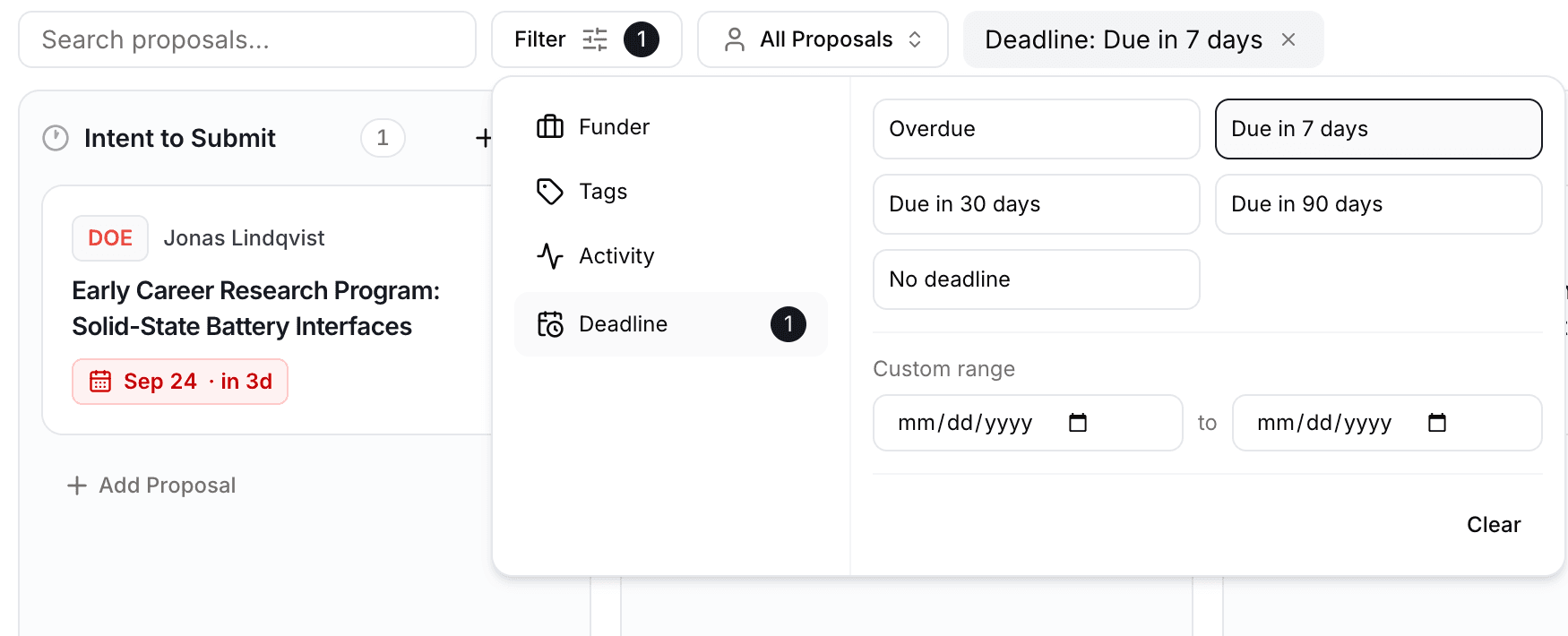
Each card shows current work, due dates, status chips, and who is leading it, so you can read a proposal's status without opening it. Document status, deadlines, and task counts stay current as cards move.
What lands on those cards is yours to set. Organization rules add your office's required documents and templates to every matching proposal, and notification rules tell Atom who to email when one of those documents is uploaded or marked complete, so you hear about the ones you care about without watching the board.
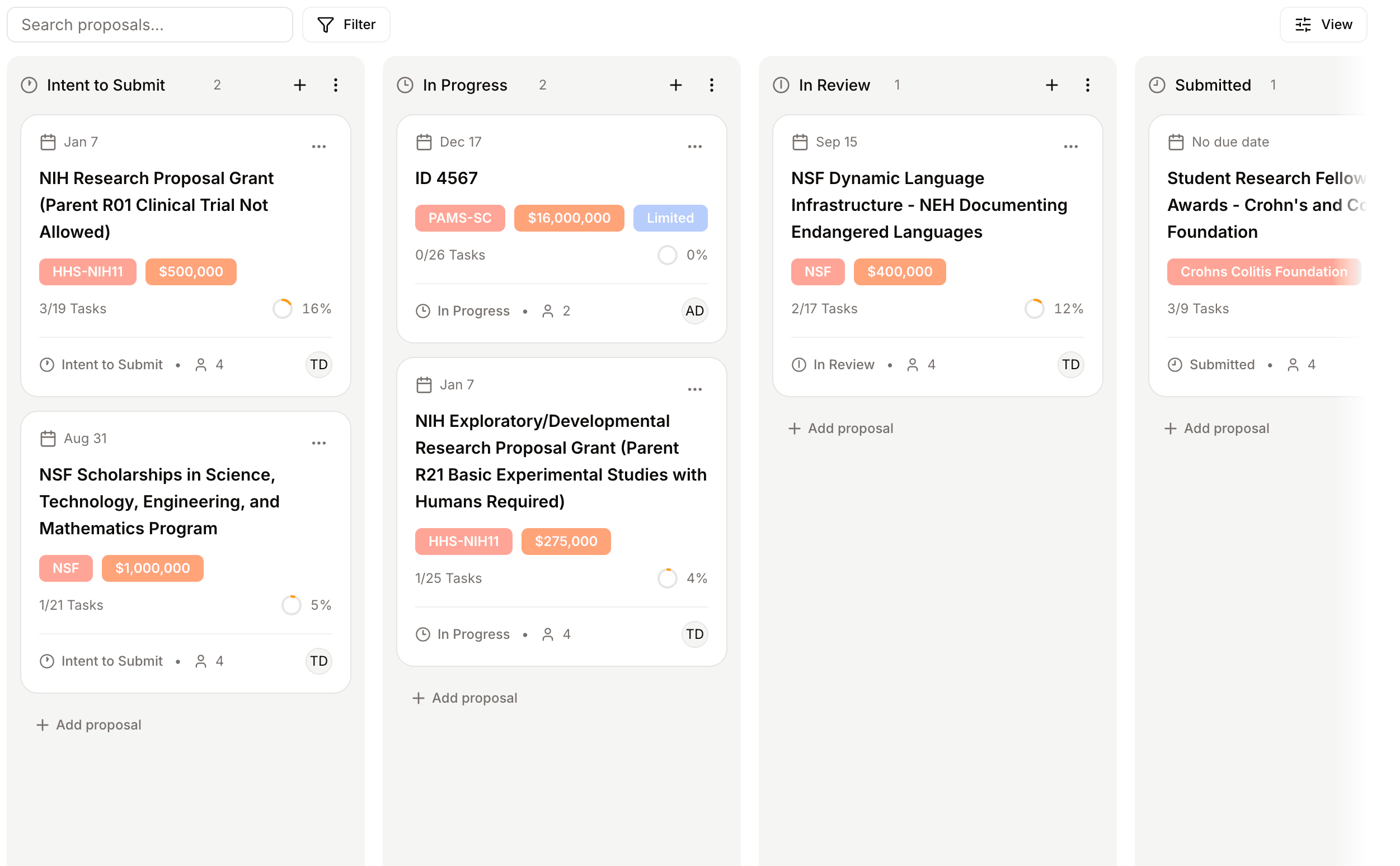
Ask Atom AI about your portfolio
From the board, open the chat panel to ask Atom AI about your entire portfolio, such as what is due this week, where the risks are, and what to prioritize next. It draws on the real-time status of every proposal on the board. This is available on desktop only, and your chat history and board preferences persist across reloads.