For administrators
Projects for admins
Projects are how Atom matches grants, and they are not only for researchers to set up themselves. As an admin, you can run a funding search for a researcher, hand a researcher a project that is ready to go, or search on behalf of a whole department or the institution.
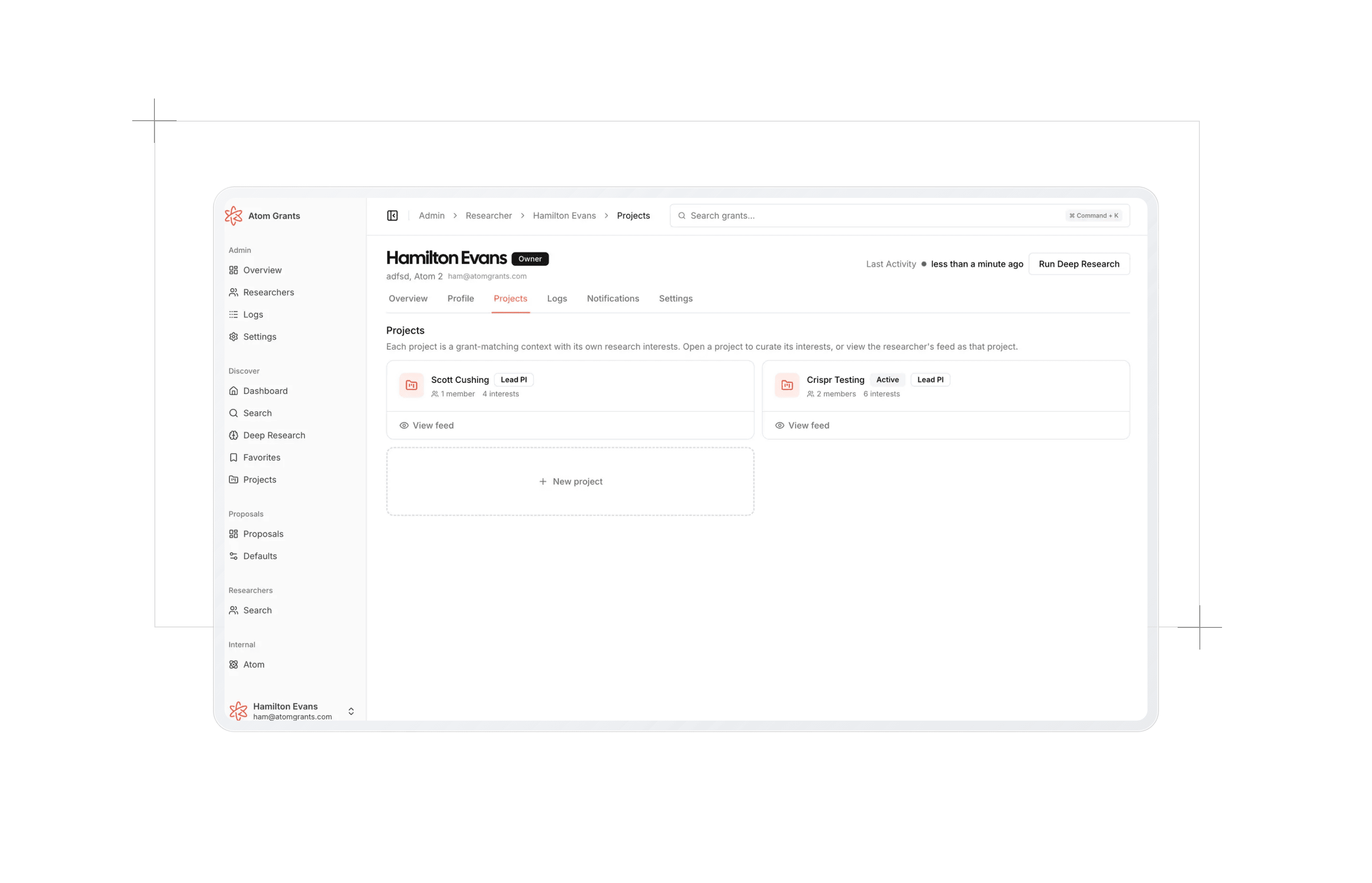
A researcher's projects
Every researcher's admin page has a Projects tab with the same project cards they see. From each card you can:
- Open the project to refine its research interests and eligibility directly.
- View feed to see the researcher's dashboard as that project sees it, so you can judge the match quality for yourself.
- Run Deep Research as the researcher on that project.
The New project tile at the end of the tab starts a project with that researcher already picked.
Finding grants for a researcher
When you create a project, pick the researcher under Which researcher? Matching and eligibility then use their profile. Atom asks how you want to set it up:
- Find grants for them. The researcher is not added to the project or notified. You join as an admin and run the search yourself, for example to send them a short list of opportunities. The team list shows them as Matching as Lead PI, marked Not on team.
- Make them lead PI. The researcher joins as the project's lead PI and can see it and its grants. You join as an admin, so you can keep curating it with them.
A project you started quietly can be handed over at any time: select Make Lead PI on the researcher's row in Team. You can also change which researcher's profile a project uses from its Eligibility section.
Setting up a project during onboarding, with well-chosen research interests, means a new researcher's very first feed and grant email are good ones.
Searching for a department or the institution
Sometimes no single person is the applicant yet. Admins get a Who is applying? choice at the top of the create form and in a project's Eligibility section:
| Option | Eligibility is judged for | Use it for |
|---|---|---|
| A Specific Researcher | That researcher's profile. This is the default. | A researcher's own search, or one you run for them. |
| Someone in a Department or at the Institution | A typical faculty member in the department you pick, or anywhere at the institution. Personal requirements are left for whoever applies. | Finding grants for a department before you know who will apply. |
| The Institution or a Center | The institution or a center applying as itself. | Grants like NSF MRI or NIH P30, where the organization is the applicant. |
The last two options are judged on your organization's institution profile, so they appear once an owner has set one up. Pick a Department or center, or leave it empty for the whole institution. In an organization with more than one campus, also pick the Campus whose facts apply.
These projects have no lead PI unless you name one. You join as an admin, the organization owns the project, and any admin can manage it. The last manager on a project with no lead PI can't leave it, so it is never left without an owner.
Institutional grants
Projects for The Institution or a Center turn on the Institutional Grants filter, so the feed and grant emails show only grants where the institution or a center applies as itself: shared instrumentation, center and core support, institutional training programs, and capacity-building programs. Individual research grants and fellowships are left out. You can turn the filter on or off like any other.
Changing who is applying
Open the project and change Who is applying? in its Eligibility section. Each change saves right away, and Atom judges the project's grants again for the whole team.